Battery & energy storage guides: figure templates
15 editable figure templates. One-page guides to batteries and energy storage: making cathode, anode and electrolyte materials, making electrodes, building and forming cells, how electrodes store lithium, electrolytes and interphases, lithium metal and solid-state cells, sodium- and potassium-ion cells, ageing, abuse and thermal runaway, seeing inside a working cell, electrochemical and safety tests, packs, cars and grid storage, recycling, second life and other storage, and a battery’s life in pictograms. Every panel is a live generator; every caption and number is quoted from the cited papers.
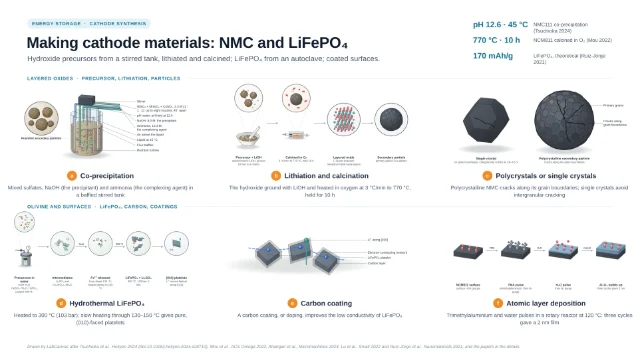 Making cathode materials: NMC and LiFePO₄
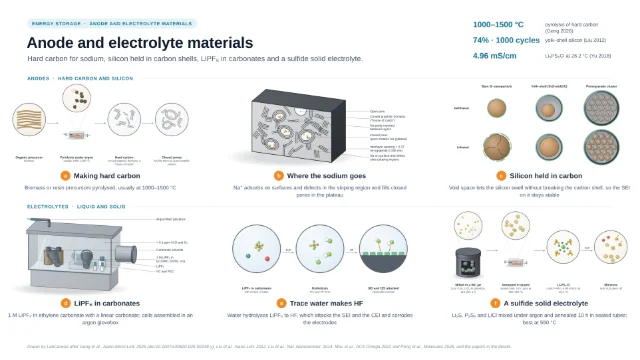 Anode and electrolyte materials
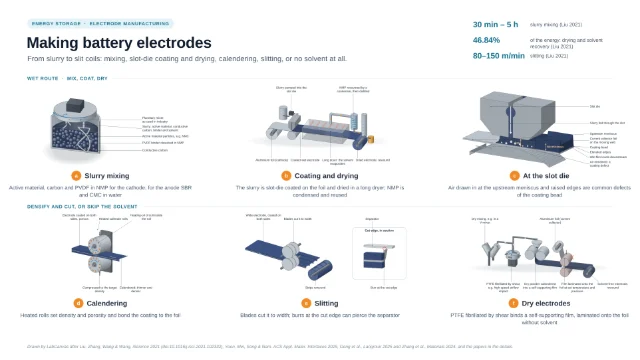 Making battery electrodes: from slurry to slit coils
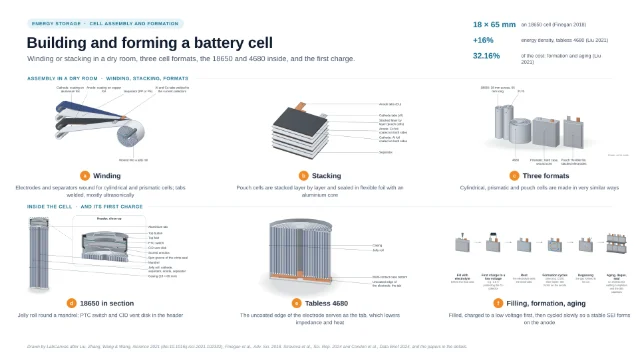 Building and forming a battery cell
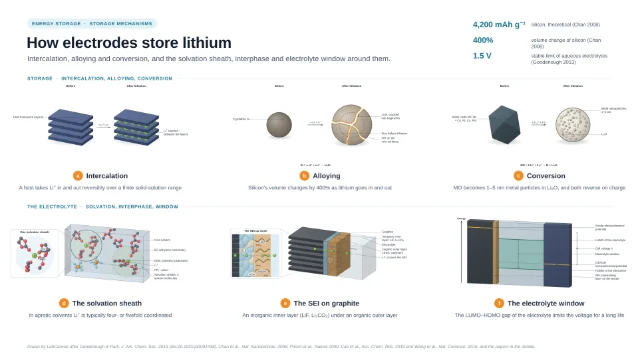 How electrodes store lithium
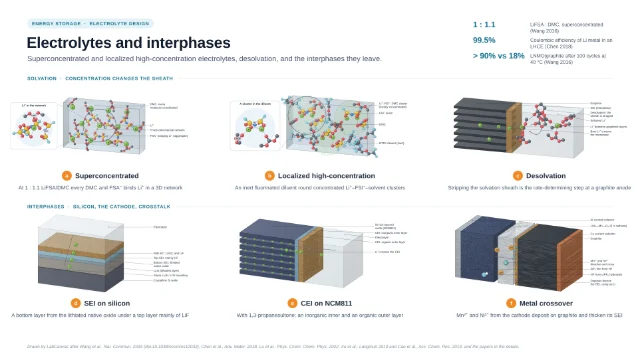 Electrolytes and interphases
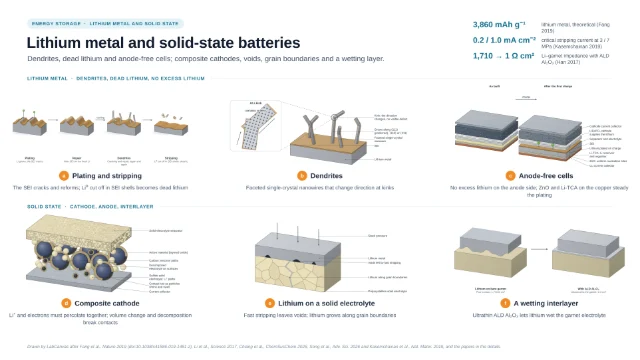 Lithium metal and solid-state batteries
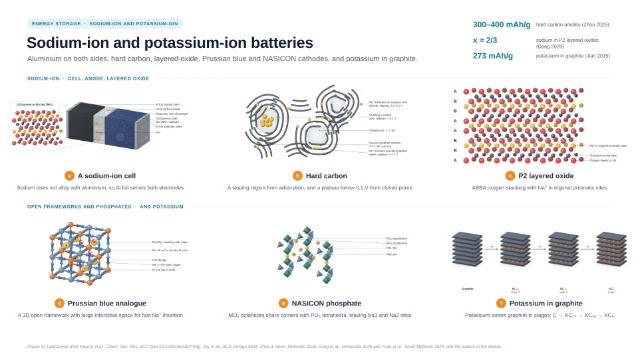 Sodium-ion and potassium-ion batteries
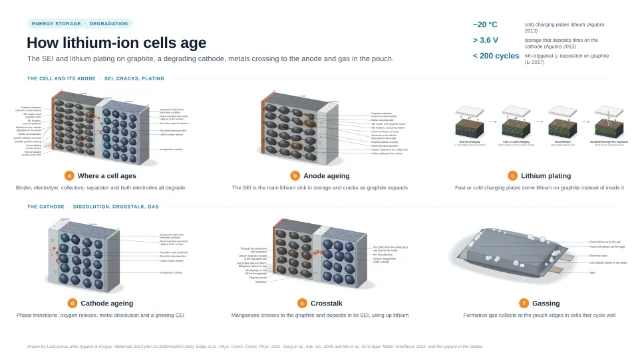 How lithium-ion cells age
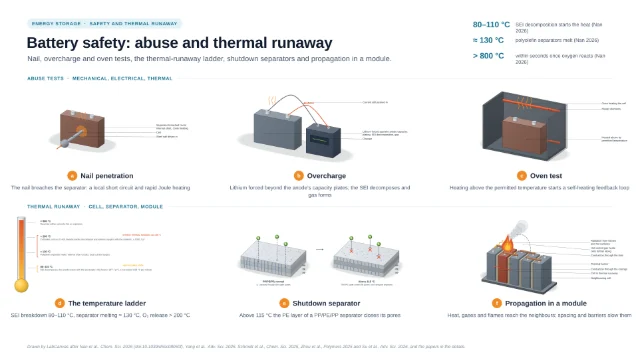 Battery safety: abuse and thermal runaway
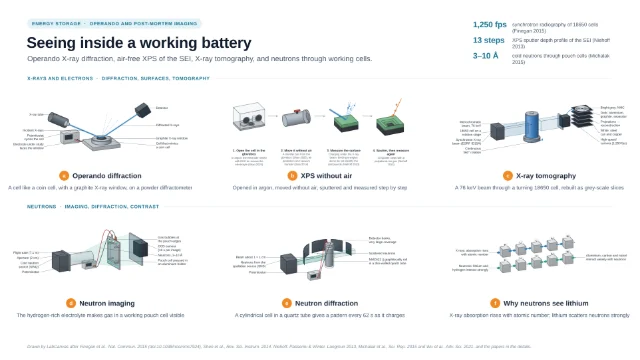 Seeing inside a working battery
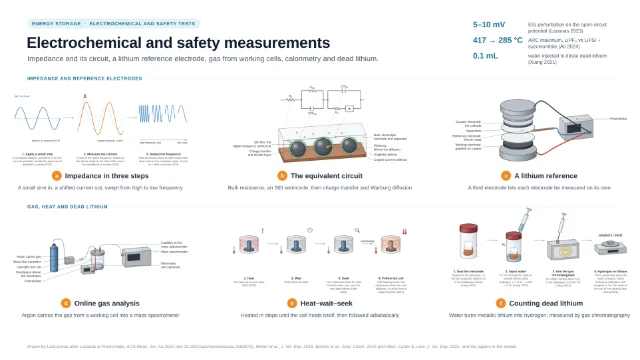 Electrochemical and safety measurements
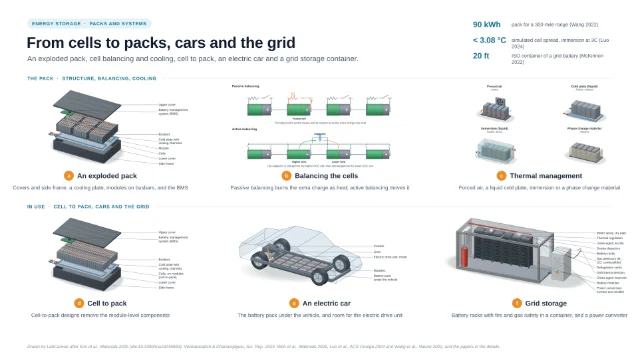 From cells to packs, cars and the grid
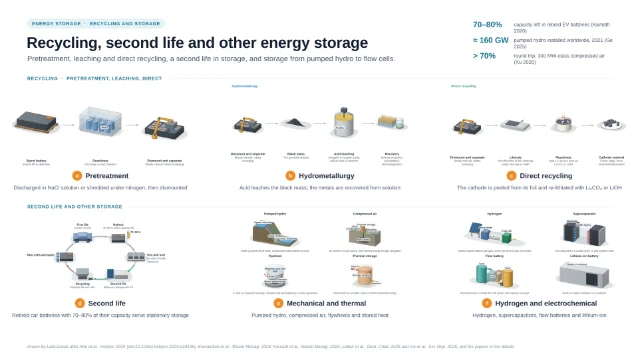 Recycling, second life and other energy storage
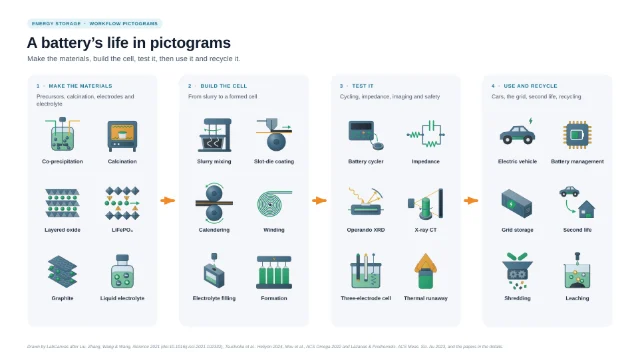 A battery’s life in pictograms: make, build, test, use and recycle
Questions
What templates are there for battery & energy storage guides?
15: Making cathode materials: NMC and LiFePO₄; Anode and electrolyte materials; Making battery electrodes: from slurry to slit coils; Building and forming a battery cell; How electrodes store lithium; Electrolytes and interphases; Lithium metal and solid-state batteries; Sodium-ion and potassium-ion batteries; How lithium-ion cells age; Battery safety: abuse and thermal runaway; Seeing inside a working battery; Electrochemical and safety measurements; From cells to packs, cars and the grid; Recycling, second life and other energy storage; A battery’s life in pictograms: make, build, test, use and recycle.
Which papers are these templates based on?
Together they follow 139 published papers; each template’s page lists its own, with DOIs, and the figure credit names them too.
How do I use one of these templates?
Open its page and click Open in the editor. Sign in, or create an account, and it opens in the LabCanvas figure editor as your own design, with every layer editable.
Make it your own figure
Start from a template and change anything: the text, the colours, the structures.
Create an account Sign in