Graphical abstract templates for chemistry and materials science
66 ready-made graphical abstracts and schematic figures, from graphene and nanomaterial syntheses to metal–organic frameworks and their applications. Every layer is editable, the 3D structures are adjustable, and each template cites the papers it follows.
- 66templates
- 7categories
- 159cited papers
- 6,938editable layers
Graphene synthesis
Graphical abstracts of the main routes to graphene: top-down exfoliation and oxidation of graphite, and bottom-up growth on metals and SiC.
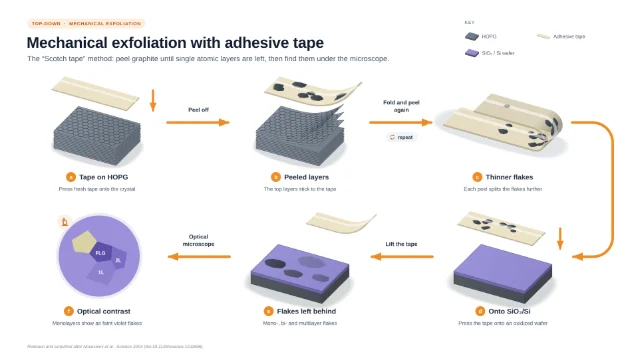 Mechanical exfoliation with adhesive tape
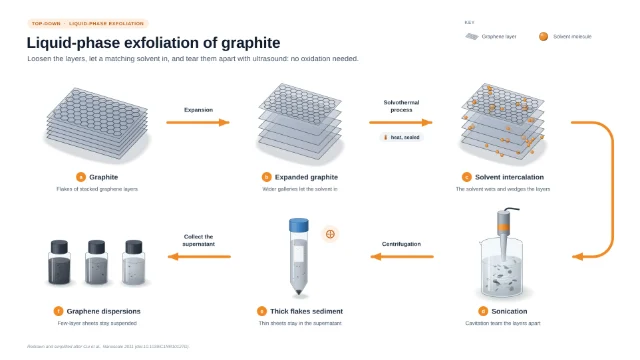 Liquid-phase exfoliation of graphite
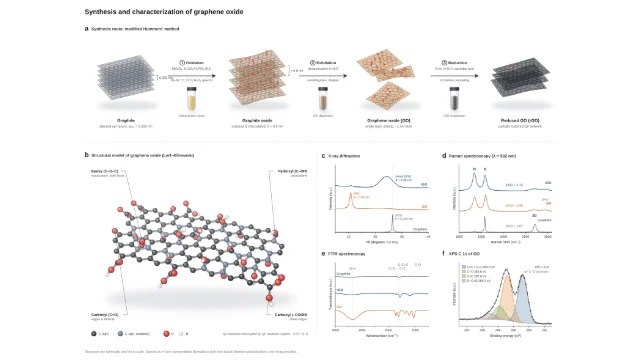 Graphene oxide: synthesis and characterization
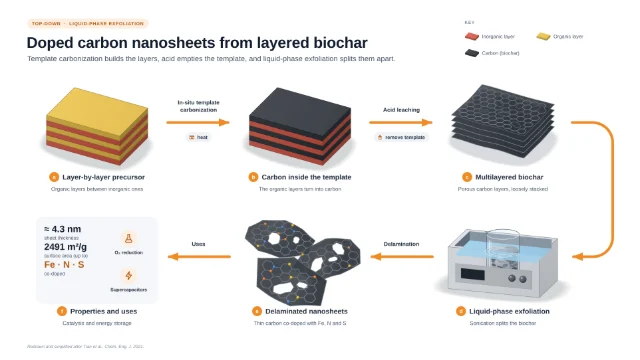 Doped carbon nanosheets from layered biochar
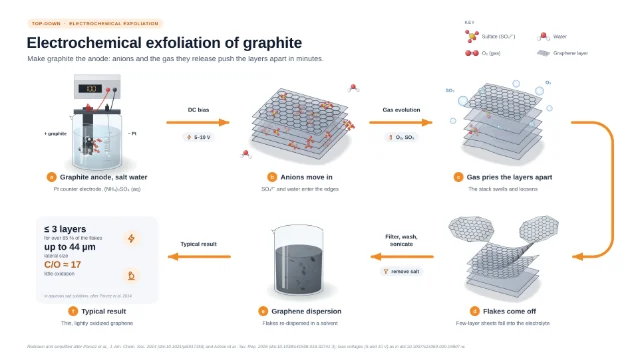 Electrochemical exfoliation of graphite
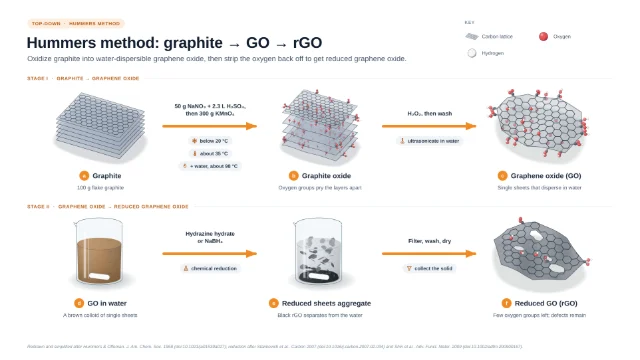 Hummers method: graphite to GO to rGO
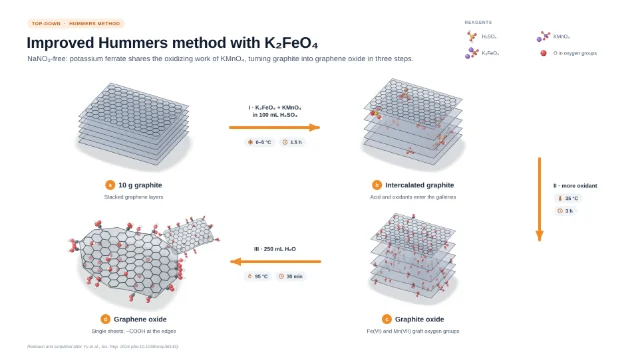 Improved Hummers method with K₂FeO₄
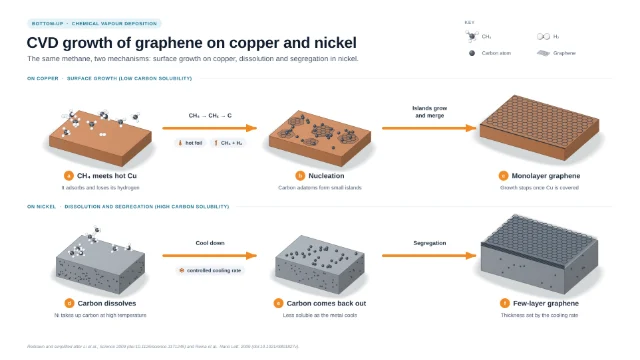 CVD growth of graphene on copper and nickel
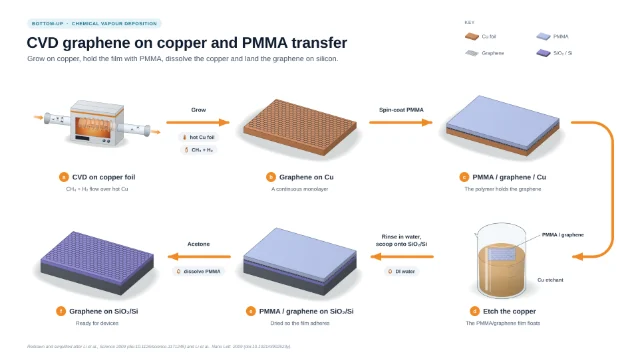 CVD graphene on copper and PMMA transfer
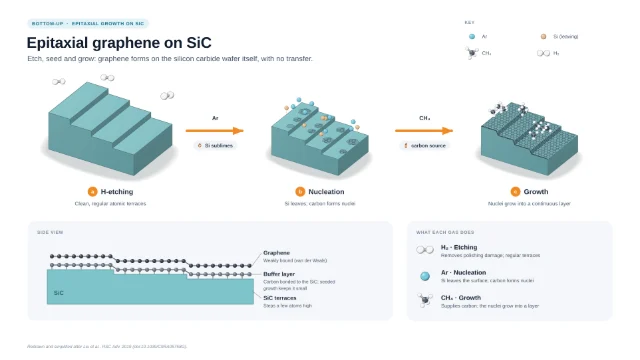 Epitaxial graphene on SiC
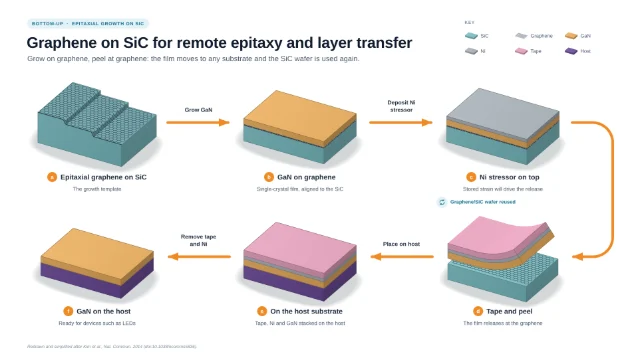 Graphene on SiC for remote epitaxy and layer transfer
Nanomaterial synthesis
Graphical abstracts of common nanomaterial syntheses: metal, oxide and carbon nanoparticles, nanorods, carbon nitride, mesoporous silica, MOFs, MXenes and liposomes.
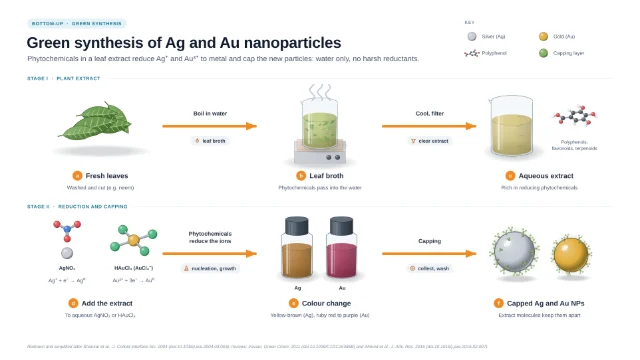 Green synthesis of silver and gold nanoparticles
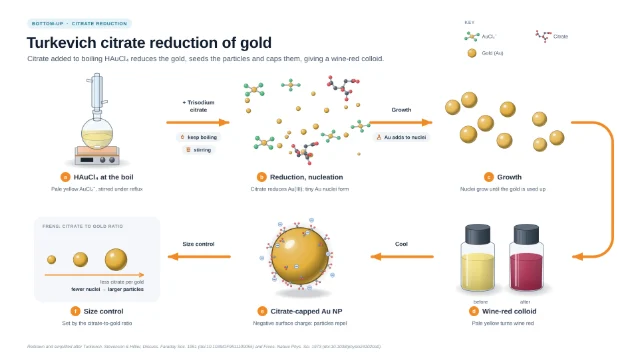 Turkevich citrate reduction of gold nanoparticles
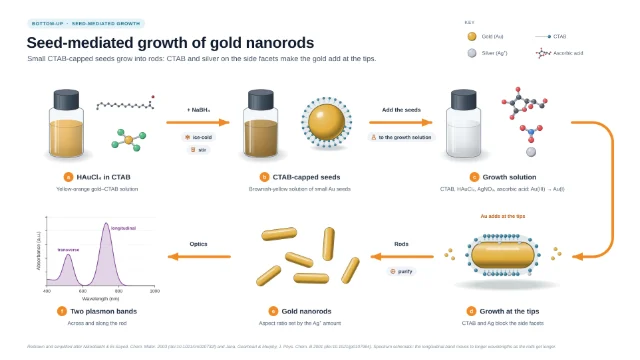 Seed-mediated growth of gold nanorods
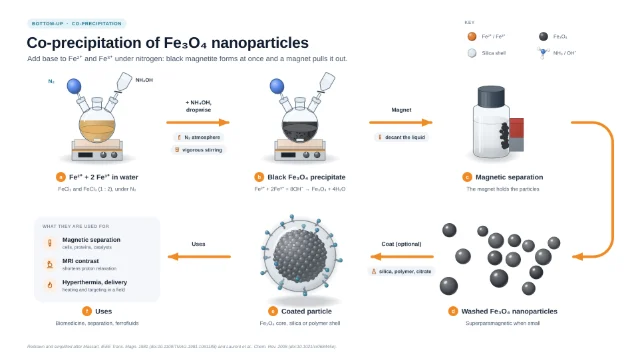 Co-precipitation of magnetite (Fe₃O₄) nanoparticles
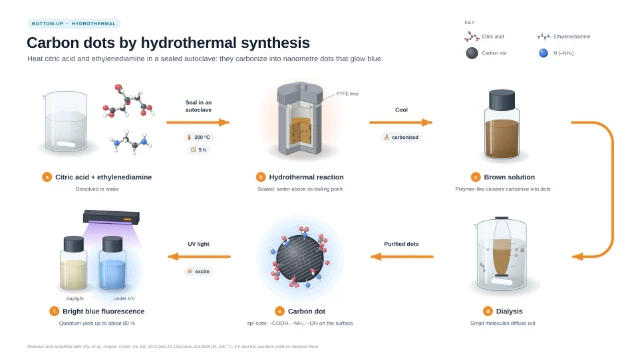 Hydrothermal synthesis of carbon dots
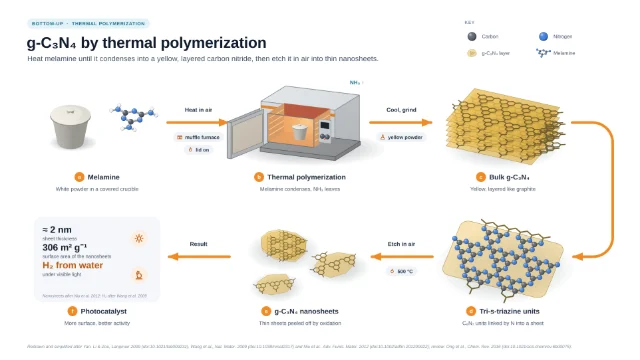 g-C₃N₄ by thermal polymerization
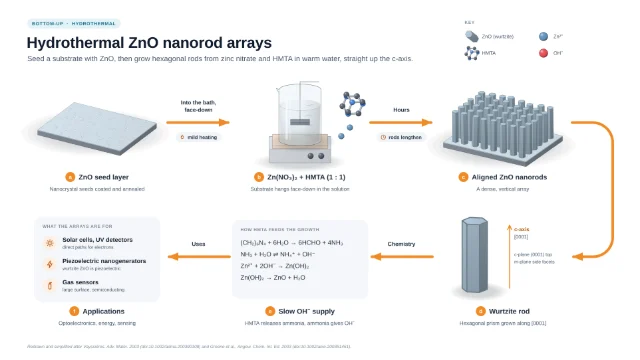 Hydrothermal growth of ZnO nanorod arrays
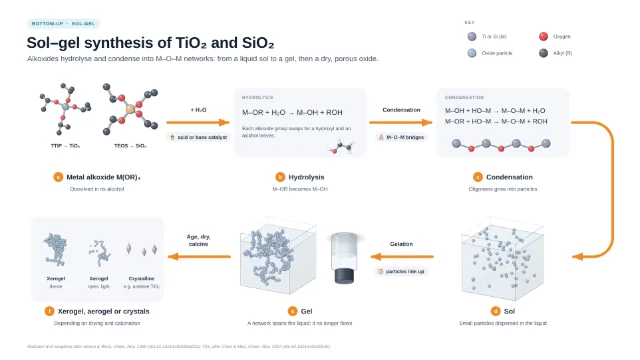 Sol–gel synthesis of TiO₂ and SiO₂
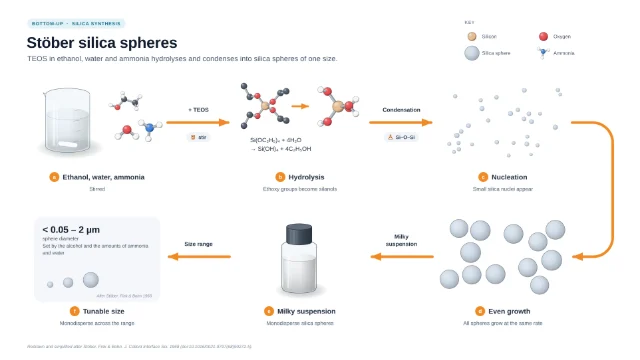 Stöber synthesis of monodisperse silica spheres
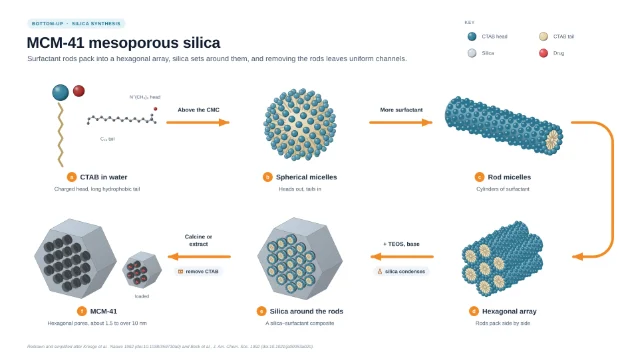 MCM-41 mesoporous silica by surfactant templating
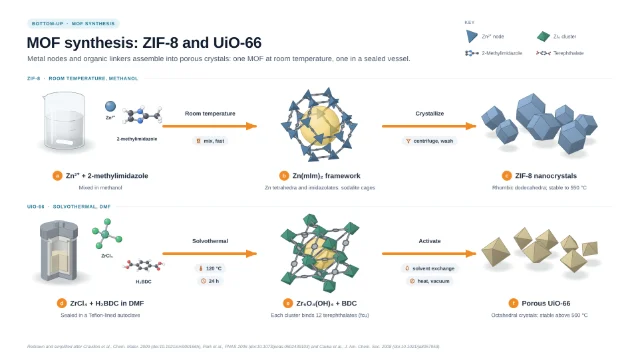 MOF synthesis: ZIF-8 and UiO-66
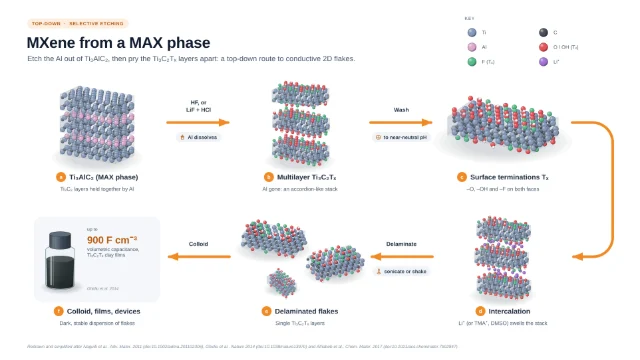 MXene (Ti₃C₂Tₓ) by selective etching of Ti₃AlC₂
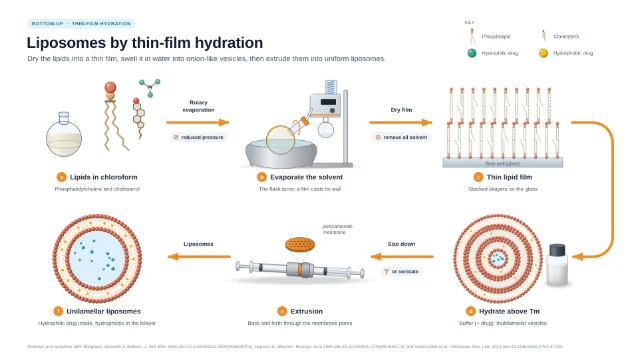 Liposomes by thin-film hydration and extrusion
Metal–organic frameworks
Benchmark MOFs built atom by atom at real dimensions: synthesis, structure, reticular design, defects, post-synthetic modification, characterization, CO₂ capture, water harvesting and drug delivery.
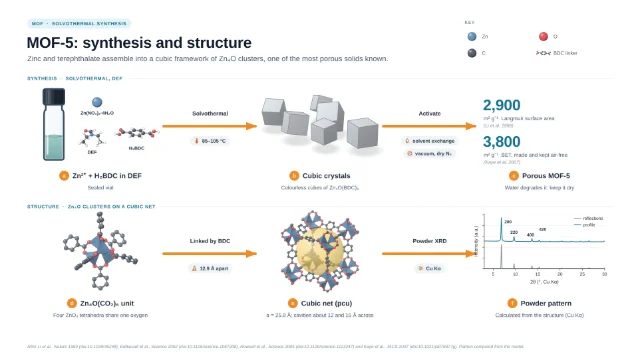 MOF-5: synthesis and structure
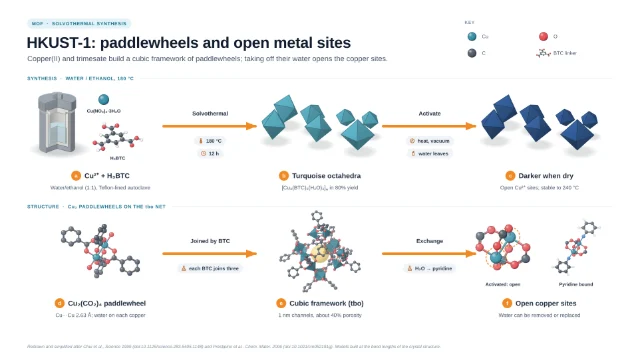 HKUST-1: copper paddlewheels and open metal sites
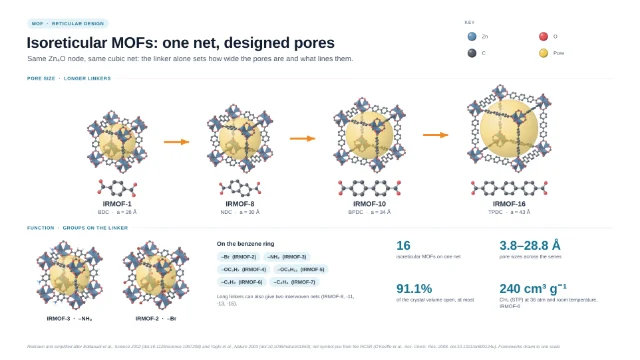 Isoreticular MOFs: one net, designed pores
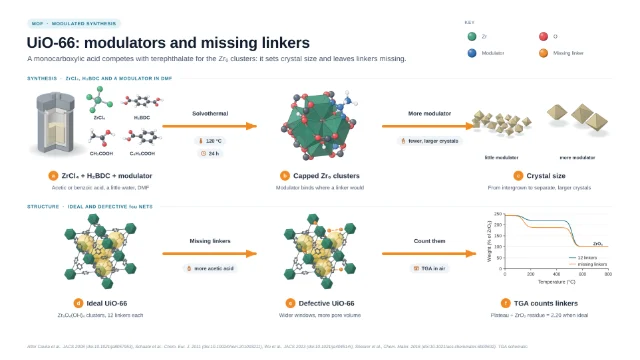 UiO-66: modulators and missing-linker defects
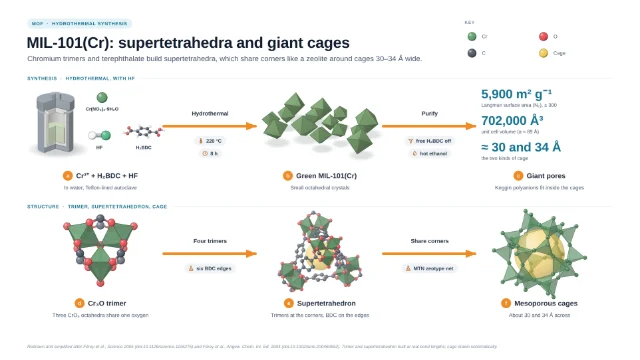 MIL-101(Cr): supertetrahedra and giant cages
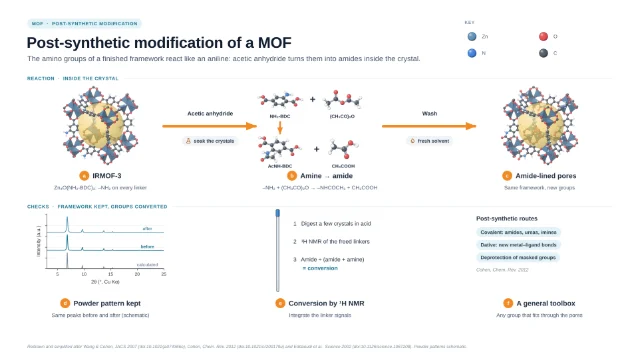 Post-synthetic modification of a MOF
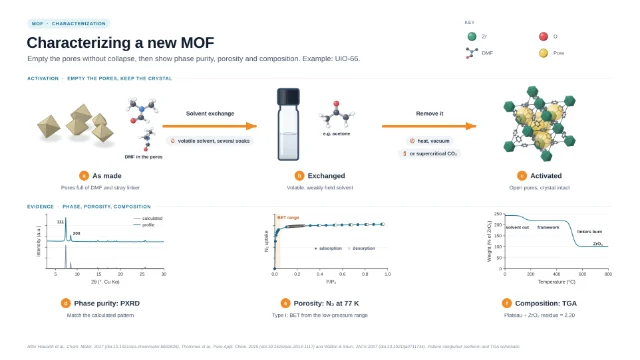 Characterizing a new MOF
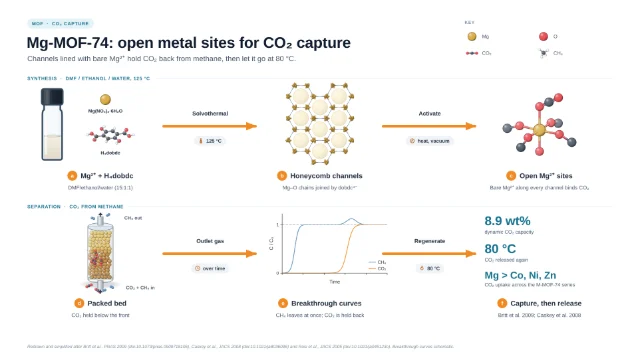 Mg-MOF-74: open metal sites for CO₂ capture
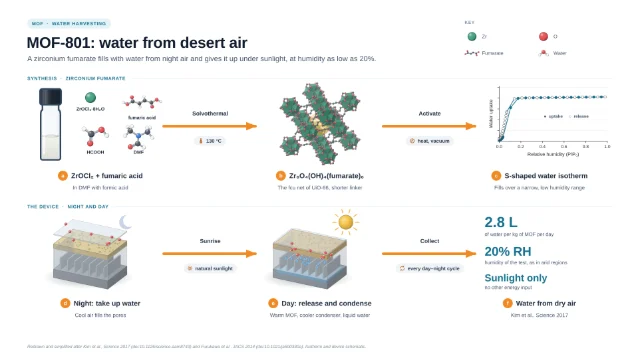 MOF-801: water from desert air
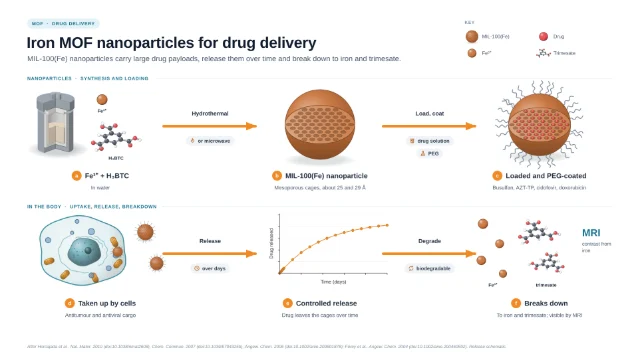 Iron MOF nanoparticles for drug delivery
Covalent organic frameworks
COFs built atom by atom at real dimensions: the first boronate COFs, linkage chemistry, β-ketoenamine stability, 3D and triazine frameworks, characterization, catalysis, photocatalytic hydrogen and membranes.
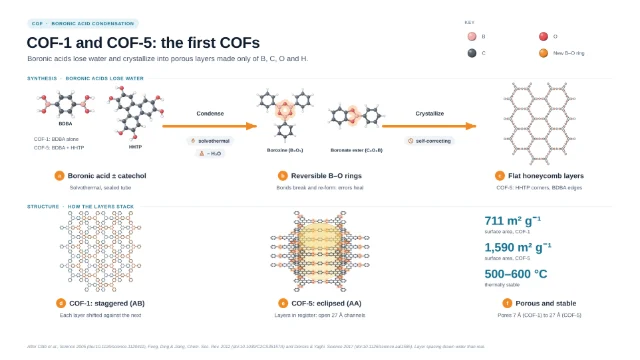 COF-1 and COF-5: the first COFs
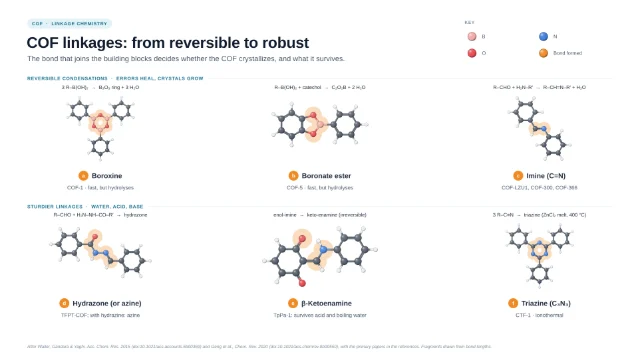 COF linkages: from reversible to robust
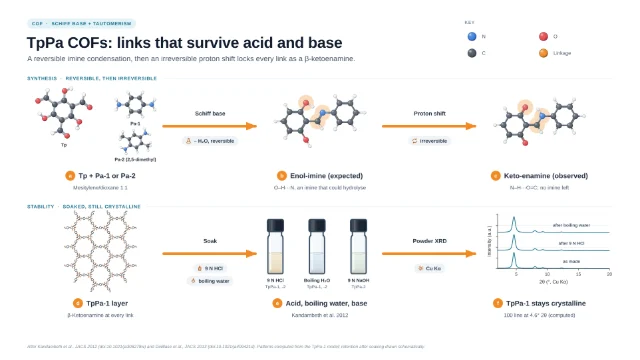 TpPa COFs: β-ketoenamine links that survive acid and base
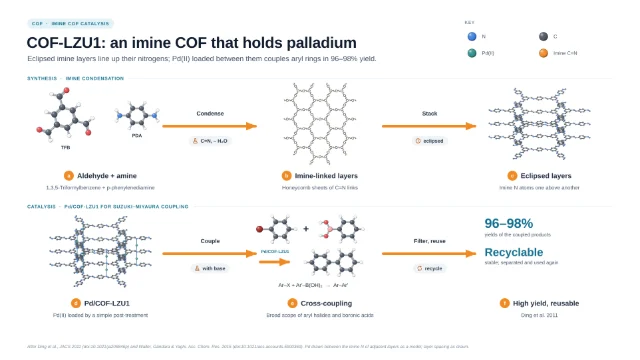 COF-LZU1: an imine COF that holds palladium
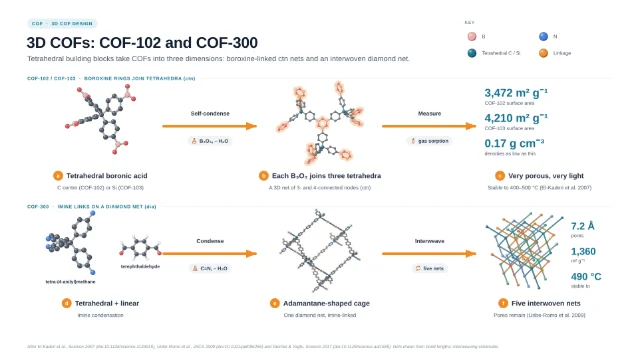 3D COFs: COF-102 and COF-300
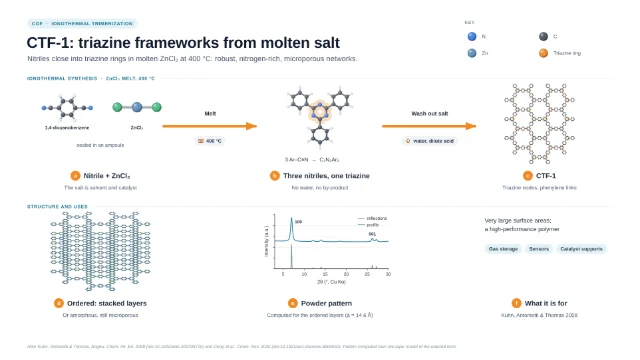 CTF-1: triazine frameworks from molten salt
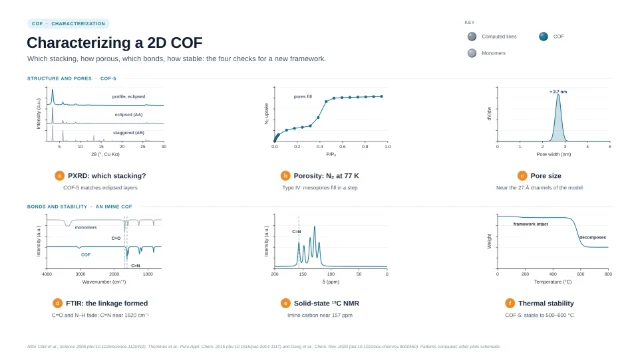 Characterizing a 2D COF
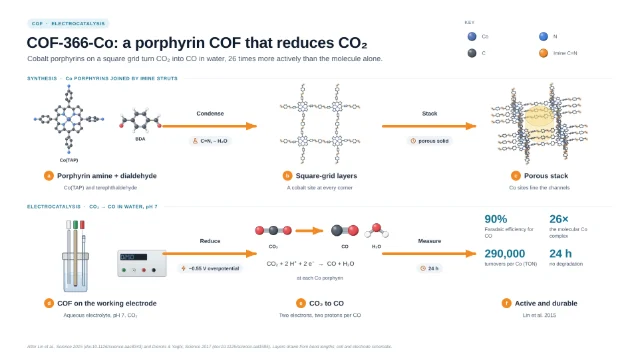 COF-366-Co: cobalt porphyrin COF for CO₂ reduction
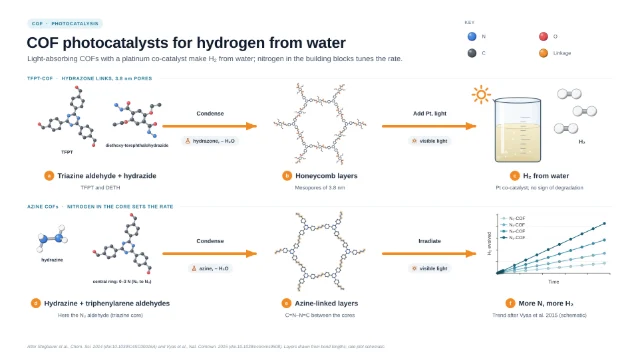 COF photocatalysts for hydrogen from water
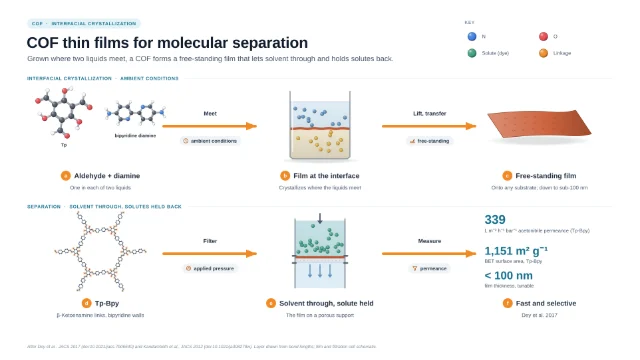 COF thin films for molecular separation
Battery materials
Lithium batteries from the crystal up: how a lithium-ion cell works, LiCoO₂, LiFePO₄, LiMn₂O₄ and Ni-rich NMC cathodes, graphite and its SEI, silicon anodes, lithium–sulfur, solid-state electrolytes, and making and testing a coin cell.
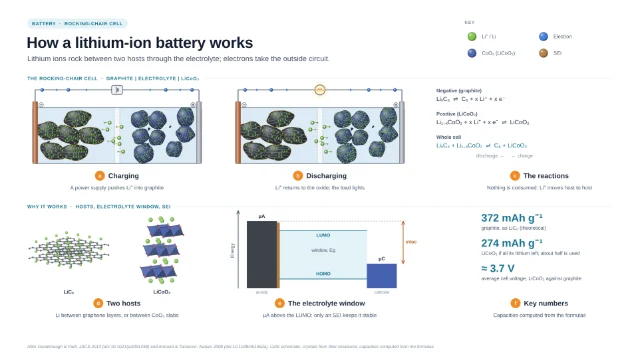 How a lithium-ion battery works
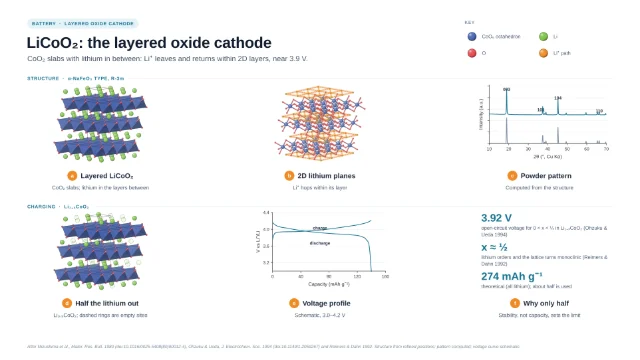 LiCoO₂: the layered oxide cathode
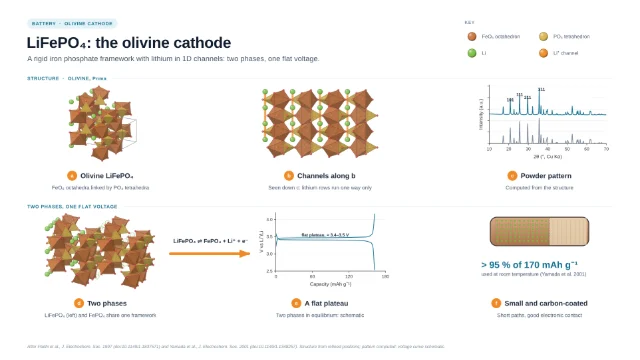 LiFePO₄: the olivine cathode
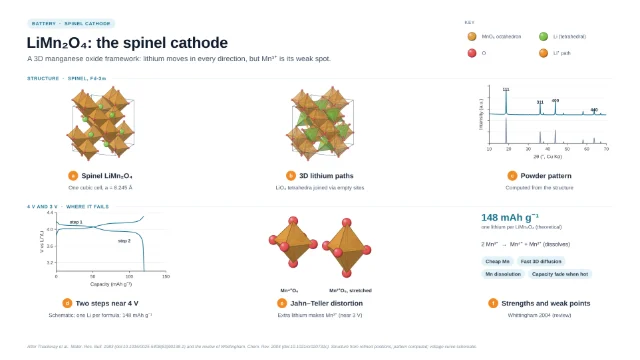 LiMn₂O₄: the spinel cathode
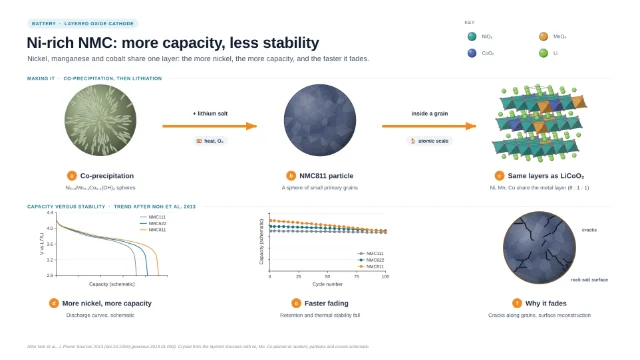 Ni-rich NMC: more capacity, less stability
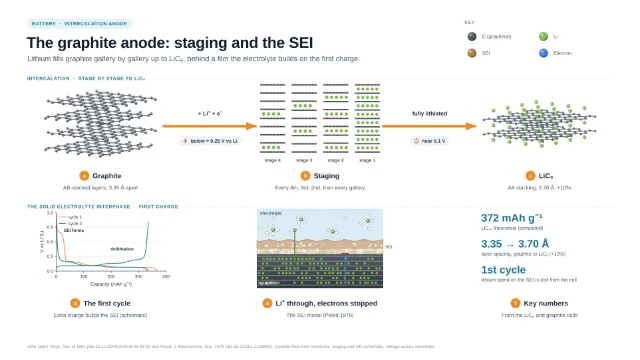 The graphite anode: staging and the SEI
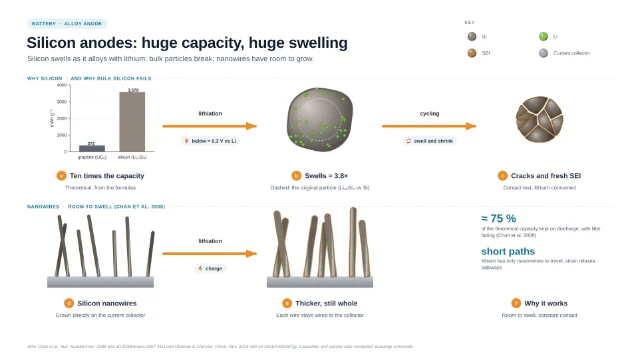 Silicon anodes: huge capacity, huge swelling
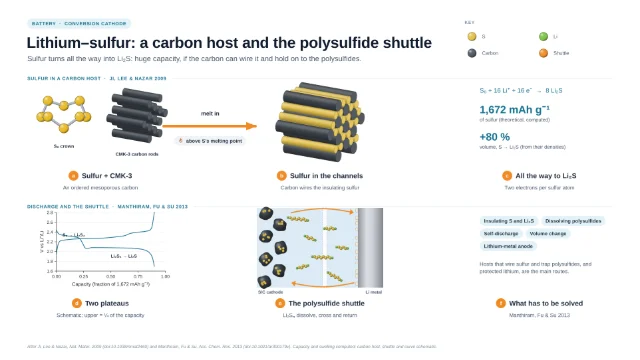 Lithium–sulfur: a carbon host and the polysulfide shuttle
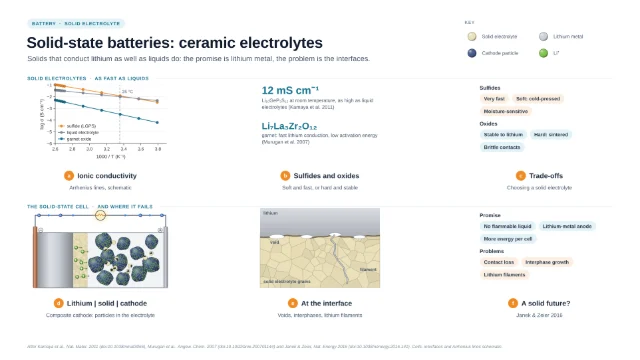 Solid-state batteries: ceramic electrolytes
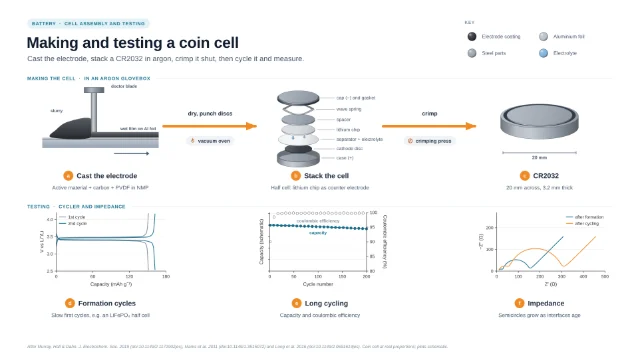 Making and testing a coin cell
Electrocatalysis
Electrocatalysts atom by atom, with computed polarization, Tafel and free-energy plots: water splitting, the OER mechanism, single-atom catalysts, CO₂ reduction on copper and gas-diffusion electrolyzers, Pt-alloy fuel-cell cathodes, MoS₂ edges, NiFe LDH, MOF-derived catalysts and benchmarking.
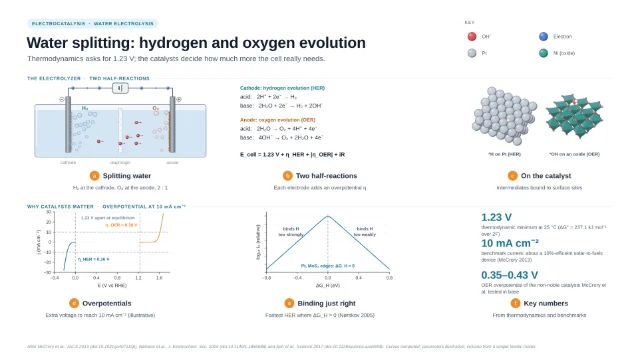 Water splitting: hydrogen and oxygen evolution
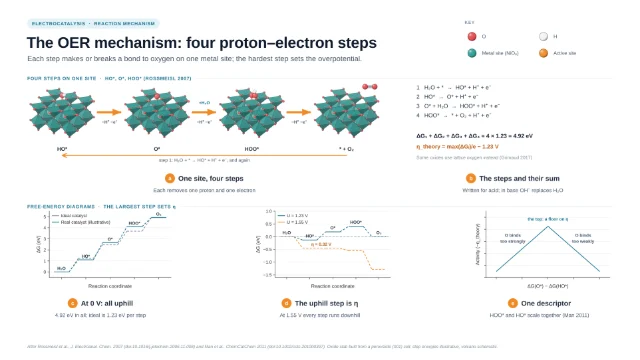 The OER mechanism: four proton–electron steps
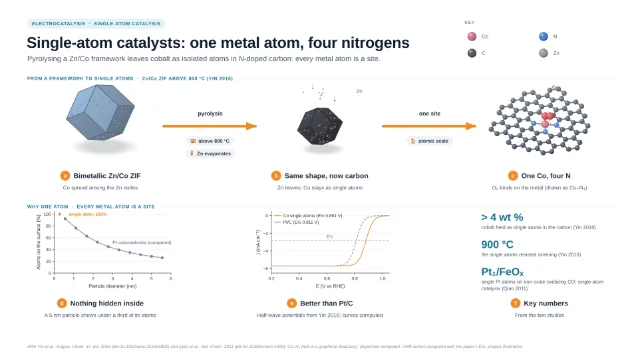 Single-atom catalysts: one metal atom, four nitrogens
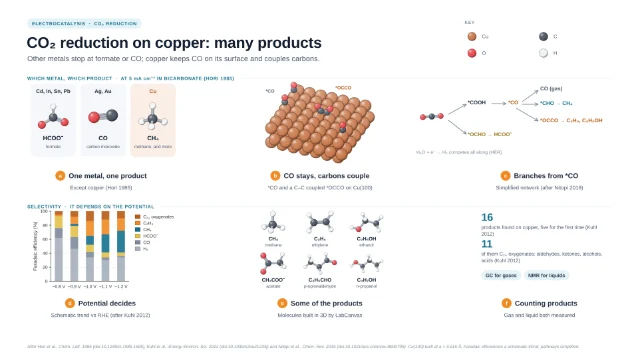 CO₂ reduction on copper: many products
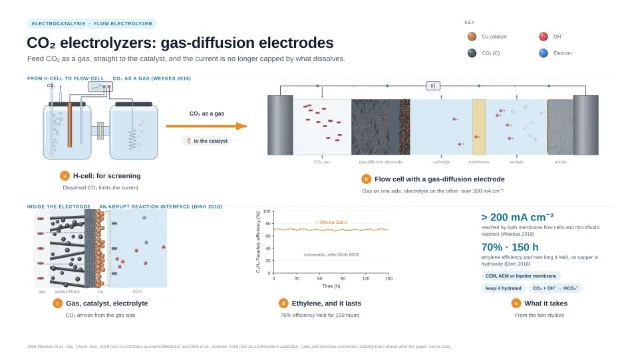 CO₂ electrolyzers: gas-diffusion electrodes
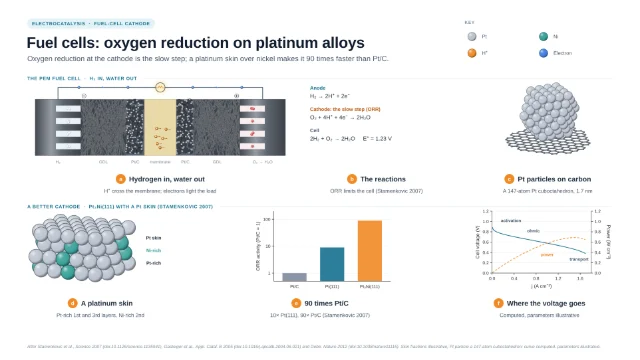 Fuel cells: oxygen reduction on platinum alloys
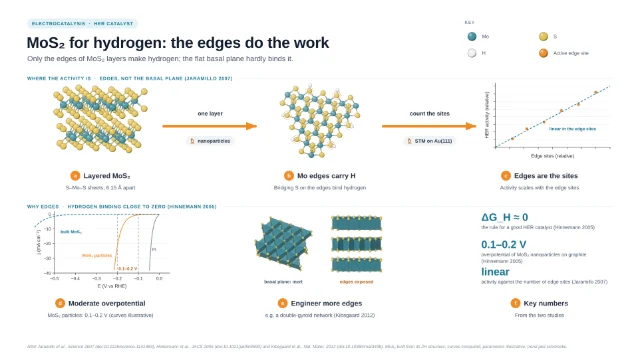 MoS₂ for hydrogen: the edges do the work
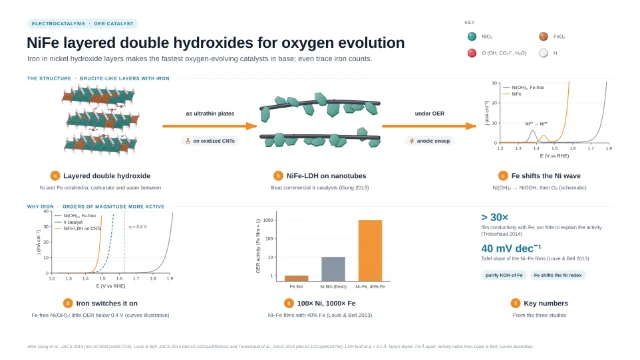 NiFe layered double hydroxides for oxygen evolution
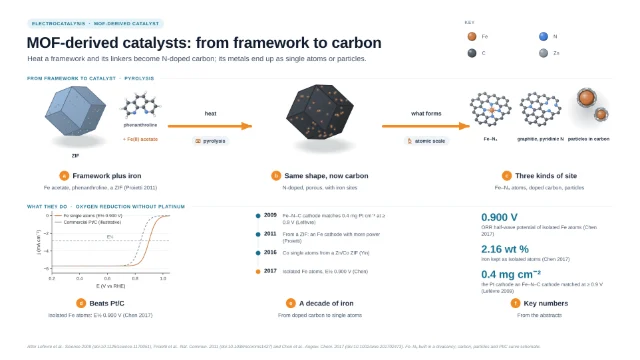 MOF-derived catalysts: from framework to carbon
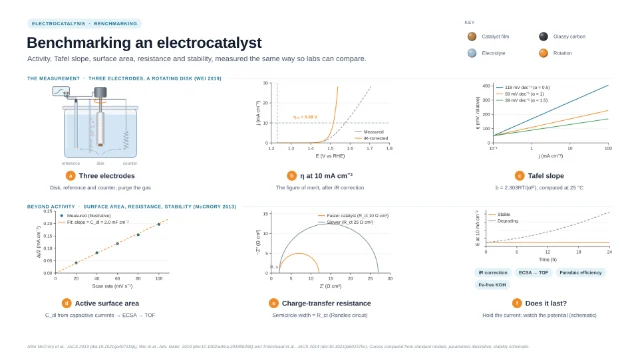 Benchmarking an electrocatalyst
Nanomaterial applications
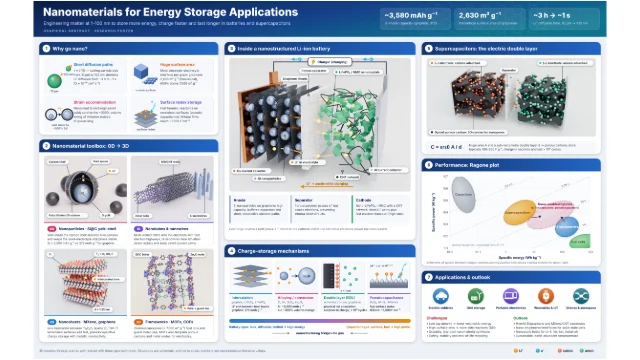
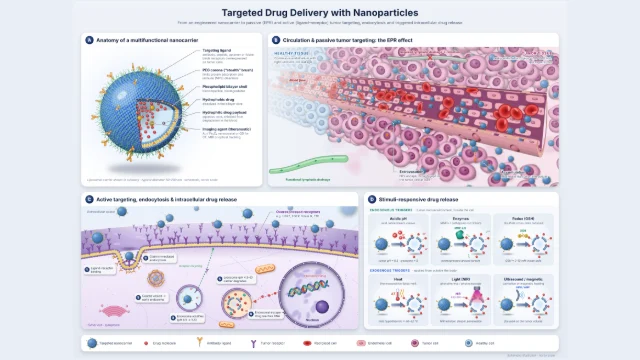
Graphical abstracts and posters on what nanomaterials are used for: energy storage, drug delivery and more.
No template matches that search. Try a material (MOF, graphene, silica) or a method (CVD, sol–gel, hydrothermal).
Questions about the templates
What are LabCanvas templates?
Ready-made scientific figures (graphical abstracts and schematics) for chemistry and materials science. Each one shows a real synthesis, structure, characterization method or application step by step and lists the papers it follows. Opened in the LabCanvas editor, every text, arrow, shape and object is a layer you can change.
How many templates are there, and on what topics?
66 templates in 7 categories: graphene synthesis (11), nanomaterial synthesis (13), metal–organic frameworks (10), covalent organic frameworks (10), battery materials (10), electrocatalysis (10), nanomaterial applications (2).
Are the templates scientifically accurate?
Each template follows published papers, listed on its page (159 papers in all; each of their 156 DOIs is checked to resolve at doi.org). Conditions, figures and structures come from those papers, and the metal–organic frameworks are built atom by atom at real bond lengths. Plots marked “schematic” show the shape of a result, not measured data.
Can I use a figure made from a template in a paper?
Yes. You keep all rights to the figures you make in LabCanvas, including figures started from a template, and may use your exports in publications, presentations, posters, grants and commercial work (see the Terms of Service). Cite the papers behind the science; each template lists them.
How do I open a template?
Go to the template’s page and click Open in the editor. Sign in, or create an account, and the template opens in the LabCanvas figure editor as a new design of your own.
Which formats can I export?
PNG, TIFF, SVG and PDF, at journal column widths and 300–600 dpi. Templates start as 1920 × 1080 px (16:9) artboards, which you can resize, for example to a journal’s graphical-abstract size.
Start from a template
Open any of them in the LabCanvas editor and make it yours: change the text, the colours, the chemistry.
Create an account Sign in