TikZlings and TikZducks: animals (and a unicorn) in TikZ
Quick answer
\usepackage{tikzlings} and write the animal’s name as a command inside a tikzpicture: \cat, \bear, \penguin, \koala and 24 more. Options go in brackets: TikZ keys such as xshift=2cm, scale=0.5 or rotate=20, colours such as body=orange, views such as back, 3D and contour=black, and accessories such as hat or crown. Each animal is also a package of its own, \usepackage{tikzlings-cats}. There is no unicorn among the TikZlings; the companion package TikZducks has one: \duck[unicorn].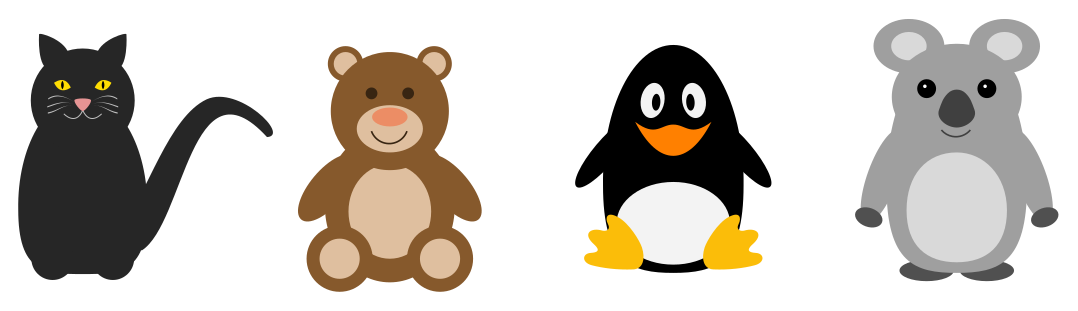
\usepackage{tikz} \usepackage{tikzlings}\begin{tikzpicture}
\cat
\bear[xshift=2.6cm]
\penguin[xshift=5cm]
\koala[xshift=7.4cm]
\end{tikzpicture}Full document
\documentclass[border=4pt]{standalone}
\usepackage{tikz}
\usepackage{tikzlings}
\begin{document}
\begin{tikzpicture}
  \cat
  \bear[xshift=2.6cm]
  \penguin[xshift=5cm]
  \koala[xshift=7.4cm]
\end{tikzpicture}
\end{document}Contents
The packages: TikZlings and TikZducks
Both packages are by samcarter, on CTAN and in TeX Live and MiKTeX, under the LPPL, and both are actively maintained: TikZlings 2.6 dates from 20 August 2026 and TikZducks 2.2 from 11 December 2025. TikZlings grew out of the TikZmarmots package and adopts many of the ducks’ accessories. The animals’ names are a running joke: each is named after someone or something connected to TeX (the cat is MisTikZelees, the penguin Tux). Issues and ideas go to the GitHub repositories; the author points other questions to topanswers.xyz/tex.
Both work with pdfLaTeX, XeLaTeX and LuaLaTeX and depend only on TikZ and a few small packages (pgf-blur, iftex, epstopdf-pkg). Every picture on this page was compiled with TeX Live 2026 (and tested with all three engines).
All 28 TikZlings
Version 2.6 has 28 creatures. Each is a command with the animal’s singular name and lives in a package with the plural, so you can load just the ones you need:
| Command | Package | Command | Package |
|---|---|---|---|
\anteater | tikzlings-anteaters | \moles | tikzlings-moles |
\ape | tikzlings-apes | \owl | tikzlings-owls |
\bat | tikzlings-bats | \panda | tikzlings-pandas |
\bear | tikzlings-bears | \penguin | tikzlings-penguins |
\bee | tikzlings-bees | \pig | tikzlings-pigs |
\bug | tikzlings-bugs | \rhino | tikzlings-rhinos |
\cat | tikzlings-cats | \sheep | tikzlings-sheep |
\chicken | tikzlings-chickens | \sloth | tikzlings-sloths |
\coati | tikzlings-coatis | \snowman | tikzlings-snowmen |
\dog | tikzlings-dogs | \squirrel | tikzlings-squirrels |
\elephant | tikzlings-elephants | \turkey | tikzlings-turkeys |
\hippo | tikzlings-hippos | \wolf | tikzlings-wolves |
\koala | tikzlings-koalas | \marmot | tikzlings-marmots |
\meerkat | tikzlings-meerkats | \mouse | tikzlings-mice |
The mole is \moles, plural, because siunitx already uses \mole for the unit. \usepackage{tikzlings} loads all of them plus \tikzling, which draws a randomly chosen one each time the document is compiled. Each sub-package loads TikZ and the accessories by itself.
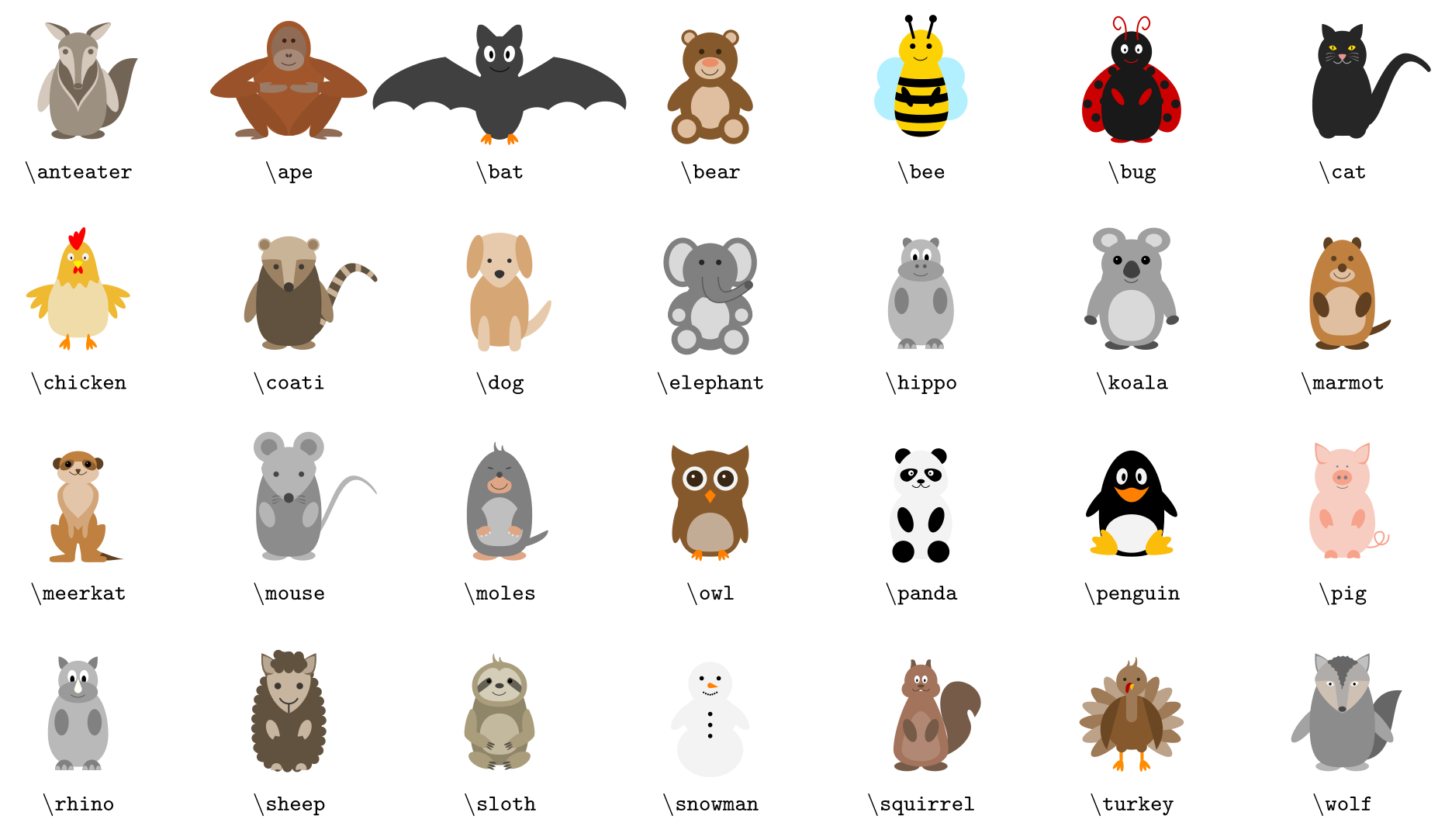
\usepackage{tikz} \usepackage{tikzlings}\begin{tikzpicture}[font=\ttfamily\scriptsize]
% all 28 TikZlings of version 2.6, by macro name
\foreach \name [count=\i from 0] in {anteater, ape, bat, bear, bee, bug, cat,
chicken, coati, dog, elephant, hippo, koala, marmot, meerkat, mouse, moles,
owl, panda, penguin, pig, rhino, sheep, sloth, snowman, squirrel, turkey, wolf} {
\pgfmathsetmacro\x{mod(\i,7)*2.3}
\pgfmathsetmacro\y{-int(\i/7)*2.3}
\begin{scope}[shift={(\x,\y)}]
\csname\name\endcsname[scale=0.6]
\node at (0,-0.3) {\textbackslash\name};
\end{scope}
}
\end{tikzpicture}Full document
\documentclass[border=4pt]{standalone}
\usepackage{tikz}
\usepackage{tikzlings}
\begin{document}
\begin{tikzpicture}[font=\ttfamily\scriptsize]
  % all 28 TikZlings of version 2.6, by macro name
  \foreach \name [count=\i from 0] in {anteater, ape, bat, bear, bee, bug, cat,
      chicken, coati, dog, elephant, hippo, koala, marmot, meerkat, mouse, moles,
      owl, panda, penguin, pig, rhino, sheep, sloth, snowman, squirrel, turkey, wolf} {
    \pgfmathsetmacro\x{mod(\i,7)*2.3}
    \pgfmathsetmacro\y{-int(\i/7)*2.3}
    \begin{scope}[shift={(\x,\y)}]
      \csname\name\endcsname[scale=0.6]
      \node at (0,-0.3) {\textbackslash\name};
    \end{scope}
  }
\end{tikzpicture}
\end{document}Options: colours, back view, 3D, contours and TikZ keys
- TikZ keys. Any TikZ or pgf key works in the optional argument:
\penguin[scale=0.5, rotate=30],\bear[xshift=3cm]. A TikZling is drawn at the origin, roughly 2 units tall with its feet at y = 0, so shifting or a surroundingscopeplaces it. - Colours.
body=recolours every animal; most have more parts:eyes=,pupils=,nose=,bill=,belly=,feet=,mouth=,blush=, depending on the animal (each one’s page in the manual lists them). - Views.
backshows it from behind,3Dshades it as if lit,contour=blackdraws outlines only (good for colouring sheets and for black-and-white print). - Animal-specific keys. The cat has
narrow pupilstovery wide pupils,openmouthandschroedinger; the koala and the sloth can besleeping; the sheep can wear amonocle.
Keys with several words work with or without spaces (wide pupils = widepupils). A key the TikZlings do not know is an error, not ignored: \cat[unicorn] stops with “I do not know the key '/thing/unicorn'”.
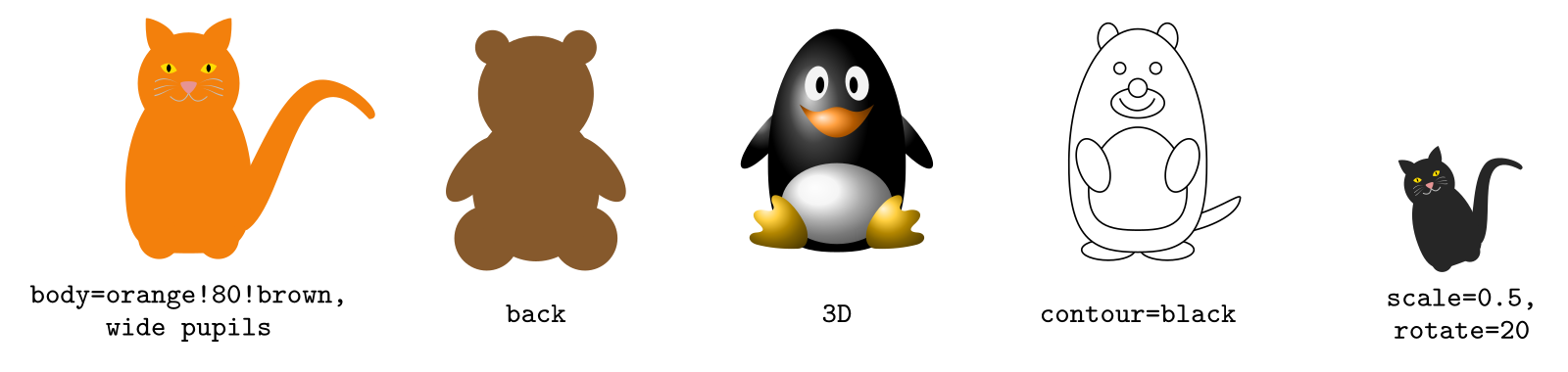
\usepackage{tikz} \usepackage{tikzlings-cats} \usepackage{tikzlings-bears} \usepackage{tikzlings-penguins} \usepackage{tikzlings-marmots}\begin{tikzpicture}[every node/.style={font=\ttfamily\scriptsize, align=center}]
\cat[body=orange!80!brown, wide pupils]
\node at (0,-0.35) {body=orange!80!brown,\\ wide pupils};
\bear[xshift=3cm, back]
\node at (3,-0.35) {back};
\penguin[xshift=5.6cm, 3D]
\node at (5.6,-0.35) {3D};
\marmot[xshift=8.2cm, contour=black]
\node at (8.2,-0.35) {contour=black};
\cat[xshift=11cm, scale=0.5, rotate=20]
\node at (11,-0.35) {scale=0.5,\\ rotate=20};
\end{tikzpicture}Full document
\documentclass[border=4pt]{standalone}
\usepackage{tikz}
\usepackage{tikzlings-cats}
\usepackage{tikzlings-bears}
\usepackage{tikzlings-penguins}
\usepackage{tikzlings-marmots}
\begin{document}
\begin{tikzpicture}[every node/.style={font=\ttfamily\scriptsize, align=center}]
  \cat[body=orange!80!brown, wide pupils]
  \node at (0,-0.35) {body=orange!80!brown,\\ wide pupils};
  \bear[xshift=3cm, back]
  \node at (3,-0.35) {back};
  \penguin[xshift=5.6cm, 3D]
  \node at (5.6,-0.35) {3D};
  \marmot[xshift=8.2cm, contour=black]
  \node at (8.2,-0.35) {contour=black};
  \cat[xshift=11cm, scale=0.5, rotate=20]
  \node at (11,-0.35) {scale=0.5,\\ rotate=20};
\end{tikzpicture}
\end{document}Accessories and \thing
All TikZlings share one set of accessories, added by name, usually with an optional colour (manual p. 85 onwards):
- Hats:
hat,tophat,beret,strawhat,harlequin,witch,magichat,crown,queencrown,kingcrown,santa,chef,graduate(withtassel),alien,sombrero. - Communication:
book={…},signpost={…},speech={…},think={…}(withbubblecolour). - Food:
pizza,cheese,baguette,cake,icecream,milkshake,wine,cocktail,banana. - Sports and other items:
cricket,hockey,football,crystalball,magicwand,rollingpin,lightsaber,torch,basket,easter,crozier,shovel,pickaxe,strawbroom,broom,umbrella,umbrellaclosed,handbag,stick,towel,present. randomheadandrandomaccessoriespick something for you at every compilation.
Accessories are drawn for an average TikZling, so some sit oddly on unusual shapes. For control, draw the accessory alone with \thing[tophat, scale=1.5, yshift=-0.6cm] and move or scale it until it fits.
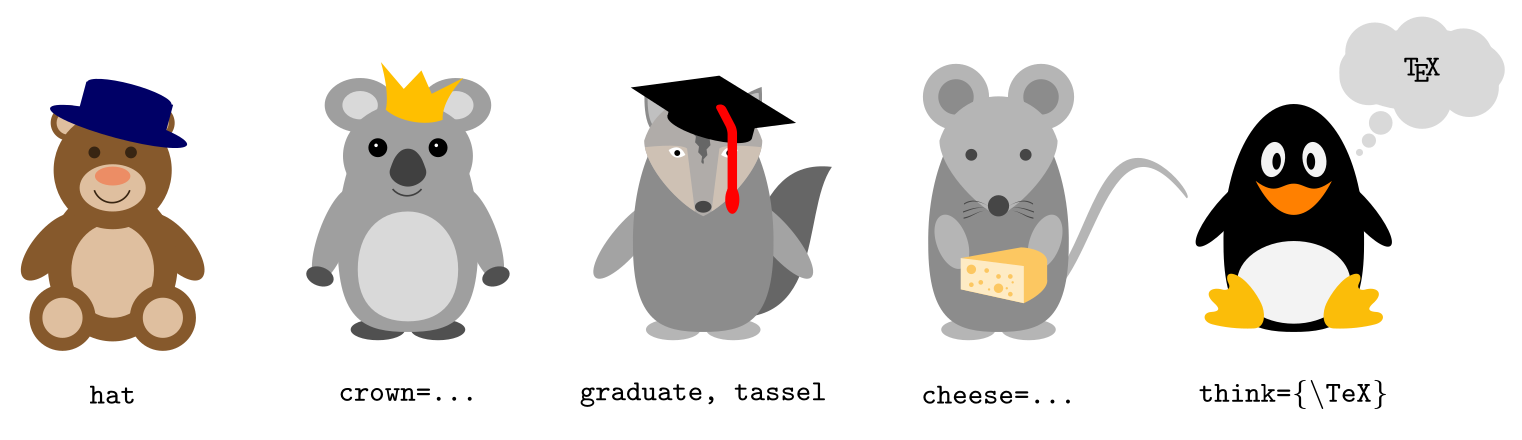
\usepackage{tikz} \usepackage{tikzlings}\begin{tikzpicture}[every node/.style={font=\ttfamily\scriptsize, align=center}]
\bear[hat]
\node at (0,-0.35) {hat};
\koala[xshift=2.5cm, crown=orange!50!yellow]
\node at (2.5,-0.35) {crown=…};
\wolf[xshift=5cm, graduate=black, tassel=red]
\node at (5,-0.35) {graduate, tassel};
\mouse[xshift=7.5cm, cheese=yellow!30!orange!60!white]
\node at (7.5,-0.35) {cheese=…};
\penguin[xshift=10cm, think={\TeX}, bubblecolour=gray!30!white]
\node at (10,-0.35) {think=\{\textbackslash TeX\}};
\end{tikzpicture}Full document
\documentclass[border=4pt]{standalone}
\usepackage{tikz}
\usepackage{tikzlings}
\begin{document}
\begin{tikzpicture}[every node/.style={font=\ttfamily\scriptsize, align=center}]
  \bear[hat]
  \node at (0,-0.35) {hat};
  \koala[xshift=2.5cm, crown=orange!50!yellow]
  \node at (2.5,-0.35) {crown=…};
  \wolf[xshift=5cm, graduate=black, tassel=red]
  \node at (5,-0.35) {graduate, tassel};
  \mouse[xshift=7.5cm, cheese=yellow!30!orange!60!white]
  \node at (7.5,-0.35) {cheese=…};
  \penguin[xshift=10cm, think={\TeX}, bubblecolour=gray!30!white]
  \node at (10,-0.35) {think=\{\textbackslash TeX\}};
\end{tikzpicture}
\end{document}Your own additions: hooks
Each TikZling has four LaTeX hooks, at the layers it is drawn in: tikzlings/<name>/background, …/belly, …/body and …/foreground, and the same four without the name apply to all TikZlings. Code added with \AddToHook{tikzlings/mouse/belly}{…} is drawn in the animal’s own coordinates on every following \mouse, until \RemoveFromHook{tikzlings/mouse/belly}.
One quirk, found while drawing the unicorn below: the foreground hook is run after the TikZling’s internal scope has closed, so it does not follow options like \sheep[xshift=3cm]. Put the TikZling in a scope with the shift instead, as the unicorn code does; the belly and body hooks move with the animal.
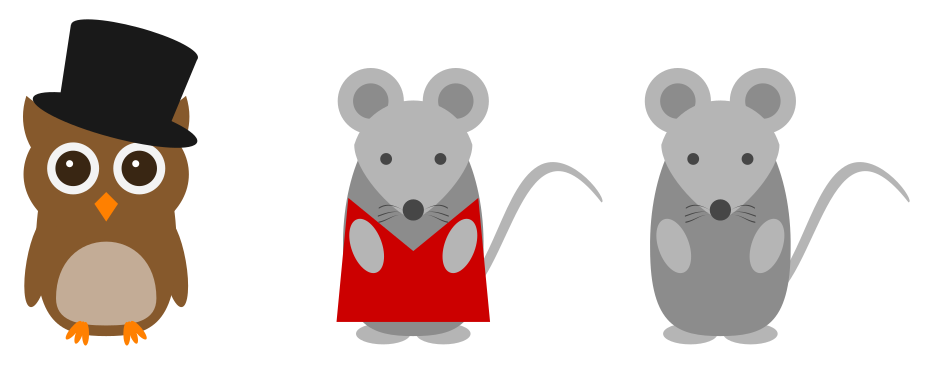
\usepackage{tikz} \usepackage{tikzlings}\begin{tikzpicture}
% \thing draws an accessory on its own, so you can place and scale it
\owl
\thing[tophat, scale=1.5, yshift=-0.6cm, xshift=-0.05cm]
% a hook adds your own drawing to one layer of a TikZling
\AddToHook{tikzlings/mouse/belly}{%
\fill[red!80!black] (0.55,1.35) -- (0.65,0.3) -- (-0.65,0.3)
-- (-0.55,1.35) -- (0,0.9) -- cycle;
}
\mouse[xshift=2.6cm]
\RemoveFromHook{tikzlings/mouse/belly}
\mouse[xshift=5.2cm]
\end{tikzpicture}Full document
\documentclass[border=4pt]{standalone}
\usepackage{tikz}
\usepackage{tikzlings}
\begin{document}
\begin{tikzpicture}
  % \thing draws an accessory on its own, so you can place and scale it
  \owl
  \thing[tophat, scale=1.5, yshift=-0.6cm, xshift=-0.05cm]
  % a hook adds your own drawing to one layer of a TikZling
  \AddToHook{tikzlings/mouse/belly}{%
    \fill[red!80!black] (0.55,1.35) -- (0.65,0.3) -- (-0.65,0.3)
      -- (-0.55,1.35) -- (0,0.9) -- cycle;
  }
  \mouse[xshift=2.6cm]
  \RemoveFromHook{tikzlings/mouse/belly}
  \mouse[xshift=5.2cm]
\end{tikzpicture}
\end{document}How to draw a unicorn in TikZ
There is no unicorn among the 28 TikZlings (version 2.6), but there are two easy ways to get one:
- The unicorn duck. TikZducks has a
unicornkey that adds a horn (pink by default):\duck[body=pink, unicorn=magenta!60!violet, longhair=magenta!60!violet]is the manual’s unicorn duck, with a matching mane. Combine it with any other duck option. - A TikZling with a horn. Draw a horn on a TikZling with the foreground hook: a filled triangle from (−0.08, 2.12) to (0, 2.85) sits on the sheep’s head (the coordinates are the sheep’s own; other animals need others).
TikZducks’ invisible key draws a duck’s accessories without the duck, which is another way to reuse its horn elsewhere.
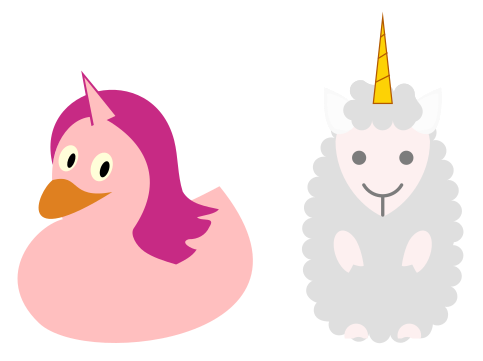
\usepackage{tikz} \usepackage{tikzducks} \usepackage{tikzlings-sheep}\begin{tikzpicture}
% TikZducks has a unicorn horn built in
\duck[body=pink, unicorn=magenta!60!violet, longhair=magenta!60!violet]
% TikZlings has none: draw a horn on the sheep with a hook
\AddToHook{tikzlings/sheep/foreground}{%
\fill[yellow!70!orange, draw=orange!70!black, line width=0.3pt]
(-0.08,2.12) -- (0,2.85) -- (0.08,2.12) -- cycle;
\draw[orange!70!black, line width=0.3pt]
(-0.06,2.3) -- (0.06,2.36) (-0.04,2.5) -- (0.04,2.55) (-0.02,2.68) -- (0.02,2.71);
}
% shift with a scope: the foreground hook does not follow \sheep[xshift=...]
\begin{scope}[xshift=3.2cm]
\sheep[body=gray!25]
\end{scope}
\RemoveFromHook{tikzlings/sheep/foreground}
\end{tikzpicture}Full document
\documentclass[border=4pt]{standalone}
\usepackage{tikz}
\usepackage{tikzducks}
\usepackage{tikzlings-sheep}
\begin{document}
\begin{tikzpicture}
  % TikZducks has a unicorn horn built in
  \duck[body=pink, unicorn=magenta!60!violet, longhair=magenta!60!violet]
  % TikZlings has none: draw a horn on the sheep with a hook
  \AddToHook{tikzlings/sheep/foreground}{%
    \fill[yellow!70!orange, draw=orange!70!black, line width=0.3pt]
      (-0.08,2.12) -- (0,2.85) -- (0.08,2.12) -- cycle;
    \draw[orange!70!black, line width=0.3pt]
      (-0.06,2.3) -- (0.06,2.36) (-0.04,2.5) -- (0.04,2.55) (-0.02,2.68) -- (0.02,2.71);
  }
  % shift with a scope: the foreground hook does not follow \sheep[xshift=...]
  \begin{scope}[xshift=3.2cm]
    \sheep[body=gray!25]
  \end{scope}
  \RemoveFromHook{tikzlings/sheep/foreground}
\end{tikzpicture}
\end{document}TikZducks
\usepackage{tikzducks} provides \duck, a rubber duck with a large wardrobe (TikZducks manual §2): colours for body, head, bill and eye; bill shapes grumpy, laughing and parrot; hairstyles (longhair, shorthair, mohican, mullet …), eyebrow and beard; clothing (tshirt, jacket, tie, bowtie, cape); and dozens of hats and props (cap, tophat, graduate, crown, viking, witch, magicwand, glasses, sunglasses, water …). Unlike a TikZling, which is centred on the origin, a duck starts at the origin and extends about 2 units to the right. There is even \picduck for LaTeX’s picture environment.
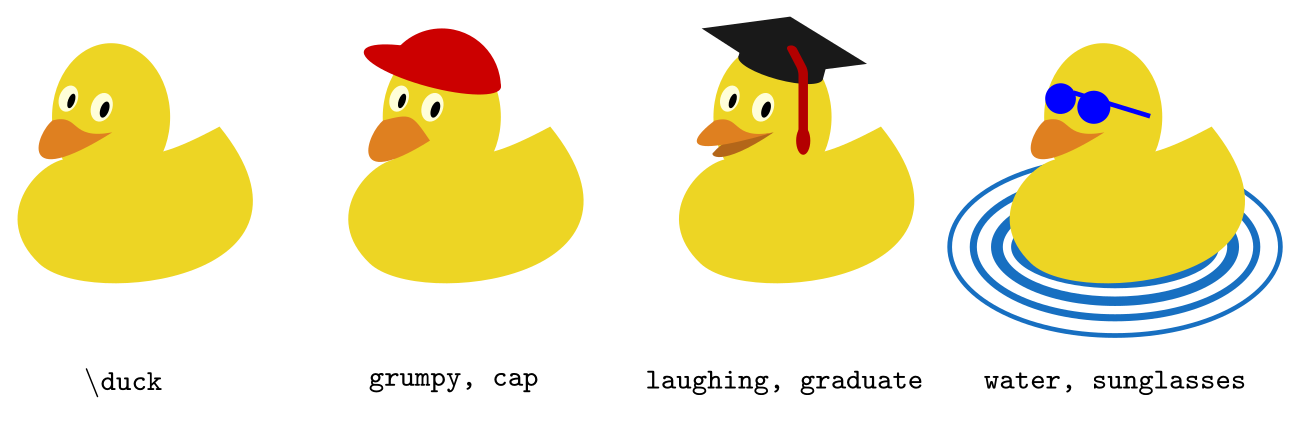
\usepackage{tikz} \usepackage{tikzducks}\begin{tikzpicture}[every node/.style={font=\ttfamily\scriptsize, align=center}]
\duck
\node at (1,-0.75) {\textbackslash duck};
\duck[xshift=2.8cm, grumpy, cap=red!80!black]
\node at (3.8,-0.75) {grumpy, cap};
\duck[xshift=5.6cm, laughing, graduate=gray!20!black, tassel=red!70!black]
\node at (6.6,-0.75) {laughing, graduate};
\duck[xshift=8.4cm, water=cyan!50!blue, sunglasses=blue]
\node at (9.4,-0.75) {water, sunglasses};
\end{tikzpicture}Full document
\documentclass[border=4pt]{standalone}
\usepackage{tikz}
\usepackage{tikzducks}
\begin{document}
\begin{tikzpicture}[every node/.style={font=\ttfamily\scriptsize, align=center}]
  \duck
  \node at (1,-0.75) {\textbackslash duck};
  \duck[xshift=2.8cm, grumpy, cap=red!80!black]
  \node at (3.8,-0.75) {grumpy, cap};
  \duck[xshift=5.6cm, laughing, graduate=gray!20!black, tassel=red!70!black]
  \node at (6.6,-0.75) {laughing, graduate};
  \duck[xshift=8.4cm, water=cyan!50!blue, sunglasses=blue]
  \node at (9.4,-0.75) {water, sunglasses};
\end{tikzpicture}
\end{document}TikZlings and ducks as pics in diagrams
Both packages also come as TikZ libraries, \usetikzlibrary{tikzlings} and \usetikzlibrary{ducks} (the latter contributed by Andrew Stacey), which load the packages and define every animal as a pic. A pic is placed on a path like a node: \path (3,0) pic[scale=0.6, cat/body=gray]{cat};, so the animals can mark points of a diagram, a plot or a timeline. Inside a pic, options are prefixed with the animal’s name (cat/body=…, duck/water=…), and accessories with thing/: pic[thing/hat=red]{penguin}.

\usepackage{tikz} \usetikzlibrary{tikzlings, ducks}\begin{tikzpicture}[>=stealth, every node/.style={font=\footnotesize}]
% with the TikZ libraries, every TikZling (and the duck) is also a pic
\path (0,0) pic[scale=0.6]{mouse}
(3.8,0) pic[scale=0.6, cat/body=gray]{cat}
(7.6,0) pic[scale=0.6, dog/body=brown!60!white]{dog}
(10.6,0) pic[scale=0.45]{duck};
\draw[->, thick] (1.1,0.6) -- node[above] {chased by} (3.0,0.6);
\draw[->, thick] (4.9,0.6) -- node[above] {chased by} (6.8,0.6);
\draw[->, thick] (8.5,0.6) -- node[above] {ignores} (10.4,0.6);
\end{tikzpicture}Full document
\documentclass[border=4pt]{standalone}
\usepackage{tikz}
\usetikzlibrary{tikzlings, ducks}
\begin{document}
\begin{tikzpicture}[>=stealth, every node/.style={font=\footnotesize}]
  % with the TikZ libraries, every TikZling (and the duck) is also a pic
  \path (0,0)    pic[scale=0.6]{mouse}
        (3.8,0)  pic[scale=0.6, cat/body=gray]{cat}
        (7.6,0)  pic[scale=0.6, dog/body=brown!60!white]{dog}
        (10.6,0) pic[scale=0.45]{duck};
  \draw[->, thick] (1.1,0.6) -- node[above] {chased by} (3.0,0.6);
  \draw[->, thick] (4.9,0.6) -- node[above] {chased by} (6.8,0.6);
  \draw[->, thick] (8.5,0.6) -- node[above] {ignores} (10.4,0.6);
\end{tikzpicture}
\end{document}Common errors and how to fix them
| LaTeX says (or you see) | Cause and fix |
|---|---|
| Undefined control sequence. (at \cat, \duck …) | Load the package: \usepackage{tikzlings} (or the animal’s own package, such as tikzlings-cats), or \usepackage{tikzducks} for \duck. |
| Undefined control sequence. (at \mole) | The mole’s command is \moles, to avoid a clash with siunitx’s unit \mole. |
| LaTeX Error: Environment scope undefined. (reported at \end{document}) | A TikZling was used outside a picture. Put it inside \begin{tikzpicture} … \end{tikzpicture} (or \tikz{\cat} inline). |
| Package pgfkeys Error: I do not know the key '/thing/unicorn' and I am going to ignore it. | The key does not exist for TikZlings (here: there is no unicorn accessory). Check the spelling against the manual; for a unicorn use \duck[unicorn] from TikZducks or draw a horn with a hook. |
| Package pgfkeys Error: I do not know the key '/tikz/pics/cat' and I am going to ignore it. | pic{cat} needs the TikZ library: \usetikzlibrary{tikzlings} (and \usetikzlibrary{ducks} for pic{duck}). |
| A hook drawing stays at the origin when the TikZling is shifted | The foreground hook runs outside the TikZling’s own options. Shift with a surrounding \begin{scope}[xshift=…] instead of \sheep[xshift=…]. |
Frequently asked questions
How do I draw a cat (or penguin, bear …) in TikZ?
Load \usepackage{tikzlings} and write \begin{tikzpicture} \cat \end{tikzpicture}. Options such as \cat[body=orange, scale=0.5] change colour and size; \penguin, \bear and 25 other animals work the same way.
Is there a unicorn in TikZ?
Not as a TikZling (version 2.6 has 28 animals, no unicorn), but TikZducks has a unicorn key: \usepackage{tikzducks} and \duck[body=pink, unicorn=magenta!60!violet, longhair=magenta!60!violet]. You can also draw a horn on any TikZling with a hook.
Can I load only one animal?
Yes: each TikZling has its own package, tikzlings- plus the plural, for example \usepackage{tikzlings-cats} or tikzlings-mice. Accessories come with every sub-package.
How do I make a TikZling smaller or put it next to text?
Use TikZ keys: \cat[scale=0.3]. In running text, \tikz[baseline]{\cat[scale=0.2]} or \tikz{\duck[scale=0.2]} puts a tiny one inline.
What is the difference between TikZlings and TikZducks?
Same author, same idea: TikZducks (2.2) draws one creature, the rubber duck, with a huge wardrobe; TikZlings (2.6) draws 28 different animals and shares many of the ducks’ accessories. Both have a TikZ library for pics.
References
- TikZlings package on CTAN (v2.6, 2026-08-20)ctan.org
- TikZlings manual (PDF on CTAN)mirrors.ctan.org
- TikZlings manual, p. 3 Loading, options, hooks and the TikZ librarymirrors.ctan.org
- TikZlings manual, p. 22 The cat (and its options)mirrors.ctan.org
- TikZlings manual, p. 83 Buffon, the random TikZlingmirrors.ctan.org
- TikZlings manual, p. 85 Accessoriesmirrors.ctan.org
- TikZlings repository (GitHub)github.com
- TikZducks package on CTAN (v2.2, 2025-12-11)ctan.org
- TikZducks manual (PDF on CTAN)mirrors.ctan.org
- TikZducks manual, §2.4 Accessoriesmirrors.ctan.org
- TikZducks manual, the unicorn duckmirrors.ctan.org
- TikZmarmots package on CTAN (v2.2), the predecessorctan.org
- PGF/TikZ manual, §18 Pics: Small Pictures on Pathstikz.dev
- PGF/TikZ manual, §12 Hierarchical Structures (scopes)tikz.dev
The facts on this page were checked against these sources, and every picture is the code with it typeset with TeX Live 2026. Code on this page: CC0 1.0, copy it freely.
Try the code in your browserEvery snippet on this page opens in the free TikZ editor: it is typeset with TeX Live as you type, with errors pointed at their line.
Open the TikZ editor