TikZ examples: 179 figures with code, by field
Quick answer
Here are 179 TikZ figures with their complete code, in 11 fields: physics, chemistry, biology, machine learning, mathematics, electronics and signals, computer science, plots and charts, diagrams, commutative diagrams, and colour and shading. They come from open-source collections whose licences allow any use (MIT or CC0), and each figure keeps its author, source and licence. Open any of them in the TikZ editor to change it, or copy its code into your own document.
Contents
Browse by field
Each field has its own page with all of its figures, grouped by topic:
A few figures from each field
“Open in the TikZ editor” loads the figure’s whole document, with its source and licence, into the free TikZ editor, where it is typeset with TeX Live 2026 as you change it. The licence link goes to the licence’s full text; the repository link goes to the original file.
Physics (18)
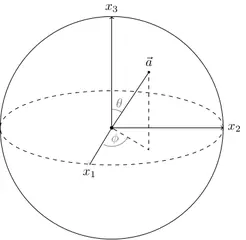
Bloch sphere
Quantum & particles
MIT licence, © Janosh Riebesell and contributors · janosh/diagrams
Open in the TikZ editor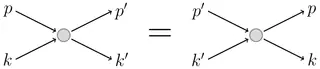
Scattering and detailed balance
Quantum & particles
MIT licence, © Janosh Riebesell and contributors · janosh/diagrams
Open in the TikZ editor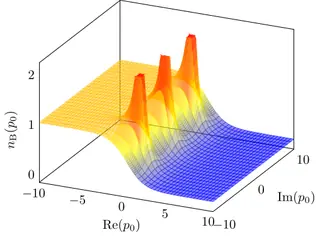
Bose–Einstein distribution (3D)
Statistical & thermal
MIT licence, © Janosh Riebesell and contributors · janosh/diagrams
Open in the TikZ editor
Chemistry (6)
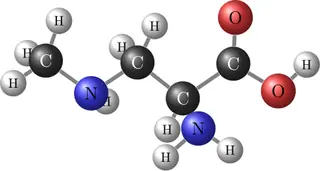
Ball-and-stick organic molecule
Molecules & structures
MIT licence, © Janosh Riebesell and contributors · janosh/diagrams
Open in the TikZ editor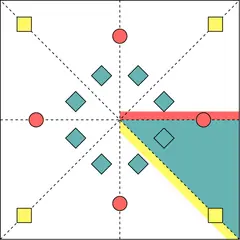
Wyckoff positions
Molecules & structures
MIT licence, © Janosh Riebesell and contributors · janosh/diagrams
Open in the TikZ editor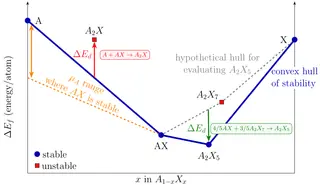
Convex hull of stability
Electronic structure & catalysis
MIT licence, © Janosh Riebesell and contributors · janosh/diagrams
Open in the TikZ editor
Biology (5)

DNA double helix
Molecular biology
MIT licence, © Petar Veličković · PetarV-/TikZ
Open in the TikZ editor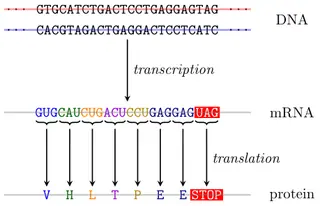
Gene expression: transcription and translation
Molecular biology
MIT licence, © Petar Veličković · PetarV-/TikZ
Open in the TikZ editor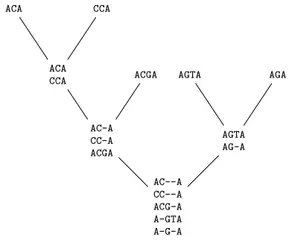
Progressive sequence alignment
Bioinformatics
MIT licence, © Petar Veličković · PetarV-/TikZ
Open in the TikZ editor
Machine learning (56)
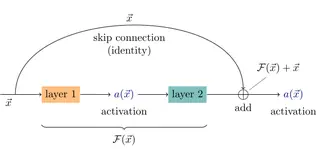
Skip (residual) connection
Neural networks
MIT licence, © Janosh Riebesell and contributors · janosh/diagrams
Open in the TikZ editor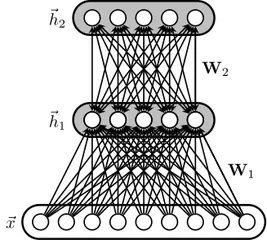
Deep belief network
Neural networks
MIT licence, © Petar Veličković · PetarV-/TikZ
Open in the TikZ editor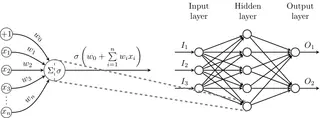
Multilayer perceptron
Neural networks
MIT licence, © Petar Veličković · PetarV-/TikZ
Open in the TikZ editor
All 56 machine learning examples
Mathematics (36)
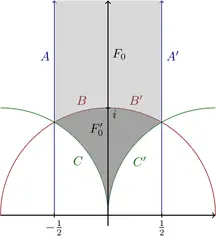
Fundamental domain of the modular group
Geometry
MIT licence, © Janosh Riebesell and contributors · janosh/diagrams
Open in the TikZ editor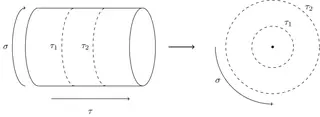
Cylinder to plane (conformal map)
Geometry
MIT licence, © Janosh Riebesell and contributors · janosh/diagrams
Open in the TikZ editor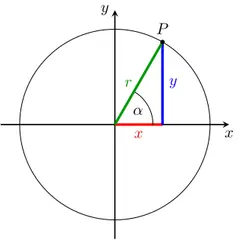
Unit circle: sine and cosine
Geometry
MIT licence, © Petar Veličković · PetarV-/TikZ
Open in the TikZ editor
Electronics & signals (7)
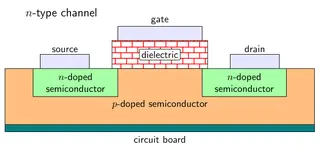
MOSFET cross-section
Circuits
MIT licence, © Janosh Riebesell and contributors · janosh/diagrams
Open in the TikZ editor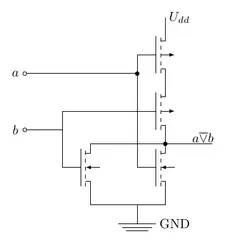
CMOS NOR gate
Circuits
MIT licence, © Martin Thoma · MartinThoma/LaTeX-examples
Open in the TikZ editor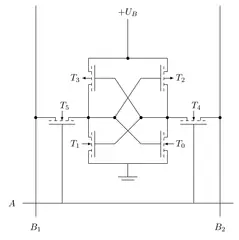
CMOS SRAM cell
Circuits
MIT licence, © Martin Thoma · MartinThoma/LaTeX-examples
Open in the TikZ editor
All 7 electronics & signals examples
Computer science (12)
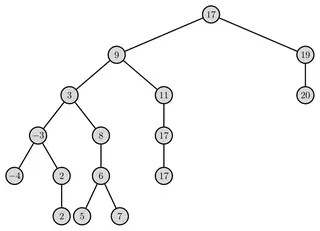
Binary search tree
Data structures
MIT licence, © Martin Thoma · MartinThoma/LaTeX-examples
Open in the TikZ editor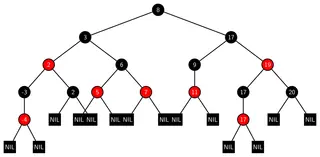
Red–black tree
Data structures
MIT licence, © Martin Thoma · MartinThoma/LaTeX-examples
Open in the TikZ editor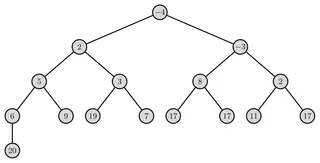
Binary heap
Data structures
MIT licence, © Martin Thoma · MartinThoma/LaTeX-examples
Open in the TikZ editor
All 12 computer science examples
Plots & charts (16)
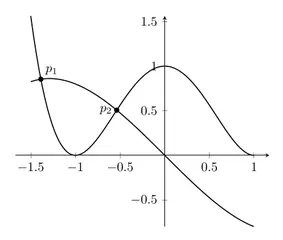
Intersection of two curves
Function plots
MIT licence, © Packt (code from LaTeX Graphics with TikZ by Stefan Kottwitz) · PacktPublishing/LaTeX-graphics-with-TikZ
Open in the TikZ editor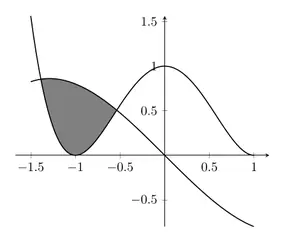
Filling between curves
Function plots
MIT licence, © Packt (code from LaTeX Graphics with TikZ by Stefan Kottwitz) · PacktPublishing/LaTeX-graphics-with-TikZ
Open in the TikZ editor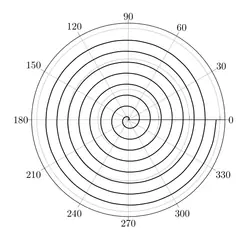
Spiral in polar axes
Function plots
MIT licence, © Packt (code from LaTeX Graphics with TikZ by Stefan Kottwitz) · PacktPublishing/LaTeX-graphics-with-TikZ
Open in the TikZ editor
All 16 plots & charts examples
Diagrams (14)

Horizontal flowchart
Flowcharts & pipelines
MIT licence, © Packt (code from LaTeX Graphics with TikZ by Stefan Kottwitz) · PacktPublishing/LaTeX-graphics-with-TikZ
Open in the TikZ editor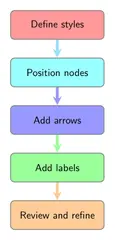
Vertical flowchart
Flowcharts & pipelines
MIT licence, © Packt (code from LaTeX Graphics with TikZ by Stefan Kottwitz) · PacktPublishing/LaTeX-graphics-with-TikZ
Open in the TikZ editor
Chevron sequence diagram
Flowcharts & pipelines
MIT licence, © Packt (code from LaTeX Graphics with TikZ by Stefan Kottwitz) · PacktPublishing/LaTeX-graphics-with-TikZ
Open in the TikZ editor
Commutative diagrams (3)
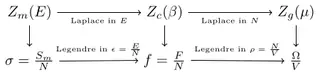
Thermodynamic ensembles and transforms
Commutative diagrams
MIT licence, © Janosh Riebesell and contributors · janosh/diagrams
Open in the TikZ editor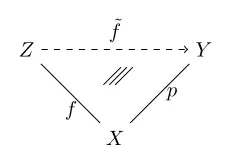
Commutative diagram: universal property
Commutative diagrams
MIT licence, © Martin Thoma · MartinThoma/LaTeX-examples
Open in the TikZ editor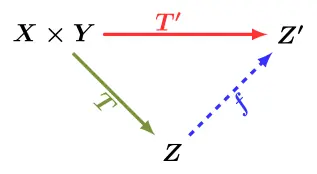
Tensor product universal property
Commutative diagrams
MIT licence, © Martin Thoma · MartinThoma/LaTeX-examples
Open in the TikZ editor
Commutative diagrams examples page
Colour & shading (6)
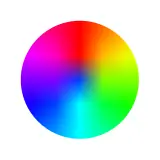
Colour wheel
Colour & shading
MIT licence, © Packt (code from LaTeX Graphics with TikZ by Stefan Kottwitz) · PacktPublishing/LaTeX-graphics-with-TikZ
Open in the TikZ editor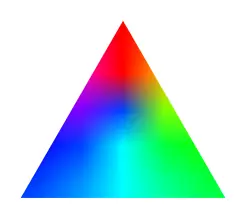
Colour triangle
Colour & shading
MIT licence, © Packt (code from LaTeX Graphics with TikZ by Stefan Kottwitz) · PacktPublishing/LaTeX-graphics-with-TikZ
Open in the TikZ editor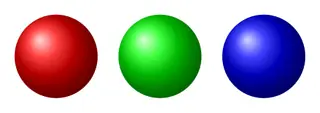
Ball shading
Colour & shading
MIT licence, © Packt (code from LaTeX Graphics with TikZ by Stefan Kottwitz) · PacktPublishing/LaTeX-graphics-with-TikZ
Open in the TikZ editor
Where the figures come from
The figures were collected from these open-source repositories, at fixed commits, and kept only if they compile on their own, within ten seconds, in the TeX Live 2026 setup the TikZ editor uses. Collections, figures and files that carried no licence, a share-alike licence, or that were adapted from other people’s work were left out.
| Collection | Copyright holder | Licence | Figures |
|---|---|---|---|
| MartinThoma/LaTeX-examples | Martin Thoma | MIT licence | 40 |
| PetarV-/TikZ | Petar Veličković | MIT licence | 38 |
| janosh/diagrams | Janosh Riebesell and contributors | MIT licence | 35 |
| PacktPublishing/LaTeX-graphics-with-TikZ | Packt (code from LaTeX Graphics with TikZ by Stefan Kottwitz) | MIT licence | 29 |
| xinychen/awesome-latex-drawing | Xinyu Chen | MIT licence | 12 |
| fraserlove/nntikz | Fraser Love | MIT licence | 11 |
| opentikz/opentikz | OpenTikZ contributors | CC0 1.0 | 8 |
| bueler/tikz-examples | Ed Bueler | MIT licence | 3 |
| andreas-bauer/tikz | Andreas Bauer | MIT licence | 2 |
| Devin-Taylor/TikZ | Devin Taylor | MIT licence | 1 |
LabCanvas changed a file only where it had to compile on its own: the document class became standalone where needed, and the repository’s own helper files were copied in. The first lines of each figure’s code say where it comes from, who holds the copyright, which licence applies and what was changed.
How to reuse a figure from the gallery
- Open it in the TikZ editor (or open the source file from the repository link) and check that it compiles.
- Keep the first comment lines of the code. They name the source, the copyright holder and the licence; the MIT licence asks that its copyright and permission notice go with copies of the code.
- Change what you need: labels, colours, sizes. Most figures are a single
tikzpicturein astandalonedocument. - Use it in your document: either compile it on its own and include the PDF with
\includegraphics, or move its\usepackageand\usetikzlibrarylines into your preamble and paste thetikzpicturewhere the figure goes.
Some figures were written for older versions of TikZ and load the arrows library, which the manual marks as deprecated in favour of arrows.meta. They still compile; in new code, prefer arrows.meta.
Frequently asked questions
Can I use these TikZ examples in my paper or thesis?
Yes. Every figure is under the MIT licence or CC0 1.0, both of which allow use, change and redistribution, commercial use included. For MIT figures, keep the copyright and permission notice with the code (the first lines of each file point to it), and credit the author in your caption as a courtesy.
Do I need to credit the author?
For CC0 figures, no. For MIT figures, the licence asks that its copyright and permission notice travel with copies of the code; keep the comment lines at the top of the file. Crediting the source in your figure caption is courteous either way.
Why does an example not compile in my document?
Most figures are standalone documents. When you paste only the tikzpicture into your own file, also copy its \usepackage and \usetikzlibrary lines (and any \pgfplotsset line) into your preamble. A figure marked LuaLaTeX must be compiled with LuaLaTeX.
Is there a search?
The TikZ editor’s library has a search box over the same figures (titles, topics and sources). Open the TikZ editor and choose Browse the library.
How were the thumbnails made?
Each thumbnail was rendered from the figure’s code with TeX Live, the same way the TikZ editor renders code.
References
- LabCanvas TikZ library: sources and licences (full licence texts)labcanvas.com
- The MIT License (Open Source Initiative)opensource.org
- CC0 1.0 Universal (Creative Commons)creativecommons.org
- PGF/TikZ manual (version 3.1.12), §16.1 Arrows: overview (the arrows library is deprecated)tikz.dev
- PGF/TikZ manual (version 3.1.12), §42 Arrow Tip Librarytikz.dev
- standalone class manual (v1.5a), §5.1 Basic usagemirrors.ctan.org
Try the code in your browserPaste any TikZ code into the free TikZ editor: it is typeset with TeX Live as you type, with errors pointed at their line.
Open the TikZ editor