LabCanvas compared with the tools scientists use
Side-by-side comparisons of LabCanvas with BioRender, GraphPad Prism, ChemDraw, ImageJ and Fiji, Canva and Inkscape. Each one sets the two programs out feature by feature and names the cases where the other program is the better choice.
LabCanvas puts a figure editor, Prism-style statistics, a chemical structure editor, image analysis, 3D models, slides and posters in one browser workspace. That makes it a stand-in for several programs in everyday figure work, but none of the specialists below is matched in everything: each comparison says where it is still ahead.
Last updated · First published
Which one should you use?
| Comparison | Choose the other program when | Choose LabCanvas when |
|---|---|---|
| LabCanvas vs BioRenderLife-science illustration | Most of your figures are built from ready-made life-science icons, and your lab already shares a paid BioRender plan. | You want objects with settings, full vector tools, and graphs, chemistry or 3D in the same figure. |
| LabCanvas vs GraphPad PrismStatistics and graphs | You reopen Prism projects, need editable vector graph files or work offline on the desktop. | You want Prism-style statistics in the browser, free to start, with each graph linked into your figure. |
| LabCanvas vs ChemDrawChemical structure drawing | You need structure-to-name, NMR prediction, Office or notebook integration, or exact .cdx exchange. | The structure is one part of a graphical abstract, figure, slide or poster. |
| LabCanvas vs ImageJ / FijiImage analysis | Your method needs a plugin, a long macro, a file format only Bio-Formats reads, or offline open-source software. | You want the everyday measurements guided in a browser, checked, and sent to statistics and figures. |
| LabCanvas vs CanvaGeneral design | You design outreach posters, social posts or slides from templates, on any device, and want free downloads. | The figure carries data or science content and goes to a journal at a set width and resolution. |
| LabCanvas vs InkscapeVector illustration | You need editable SVG, PDF or EPS files, or a free, offline, open-source program. | You want science objects, graphs, chemistry and equations drawn for you on one canvas. |
The comparisons
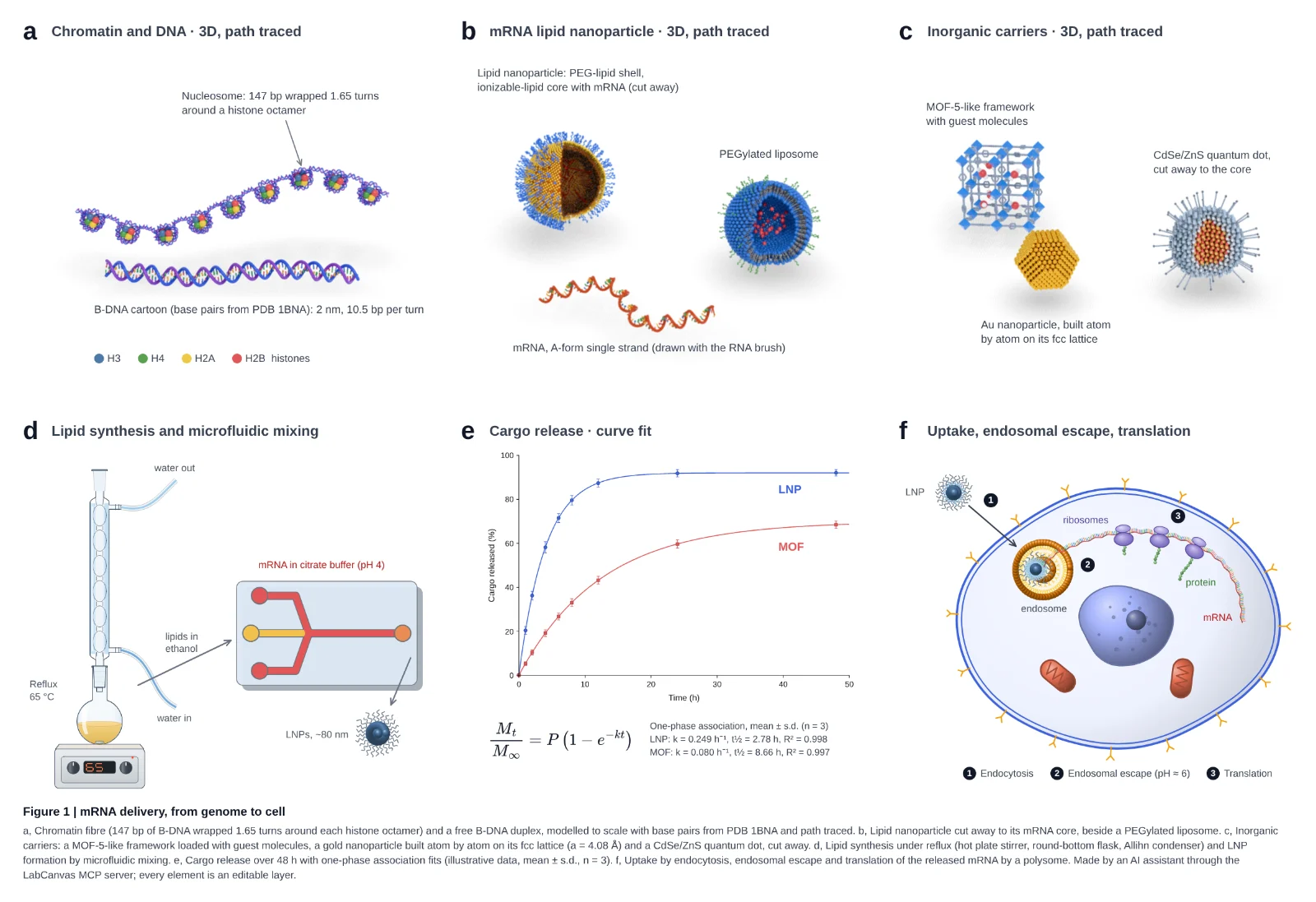
A BioRender alternative for scientific figures: what LabCanvas does differently
Looking for a BioRender alternative? An honest comparison with LabCanvas: adjustable objects, vector tools, 3D and graphs, and when BioRender fits better.
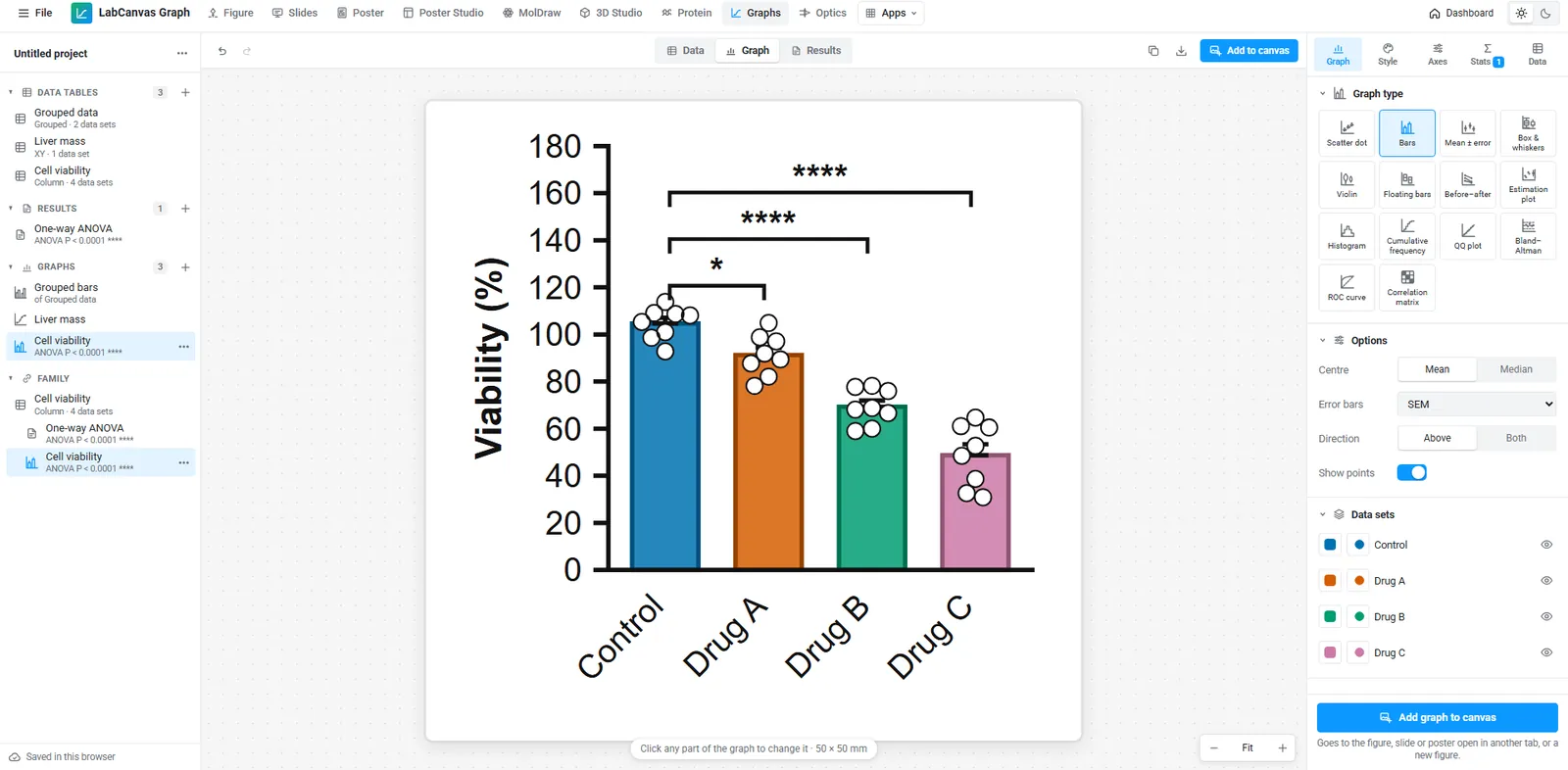
GraphPad Prism vs LabCanvas: a free Prism alternative for graphs and statistics, compared
GraphPad Prism or LabCanvas Graphs? Statistics, export, Prism file import, price and platforms side by side, a dose–response example, and when Prism wins.
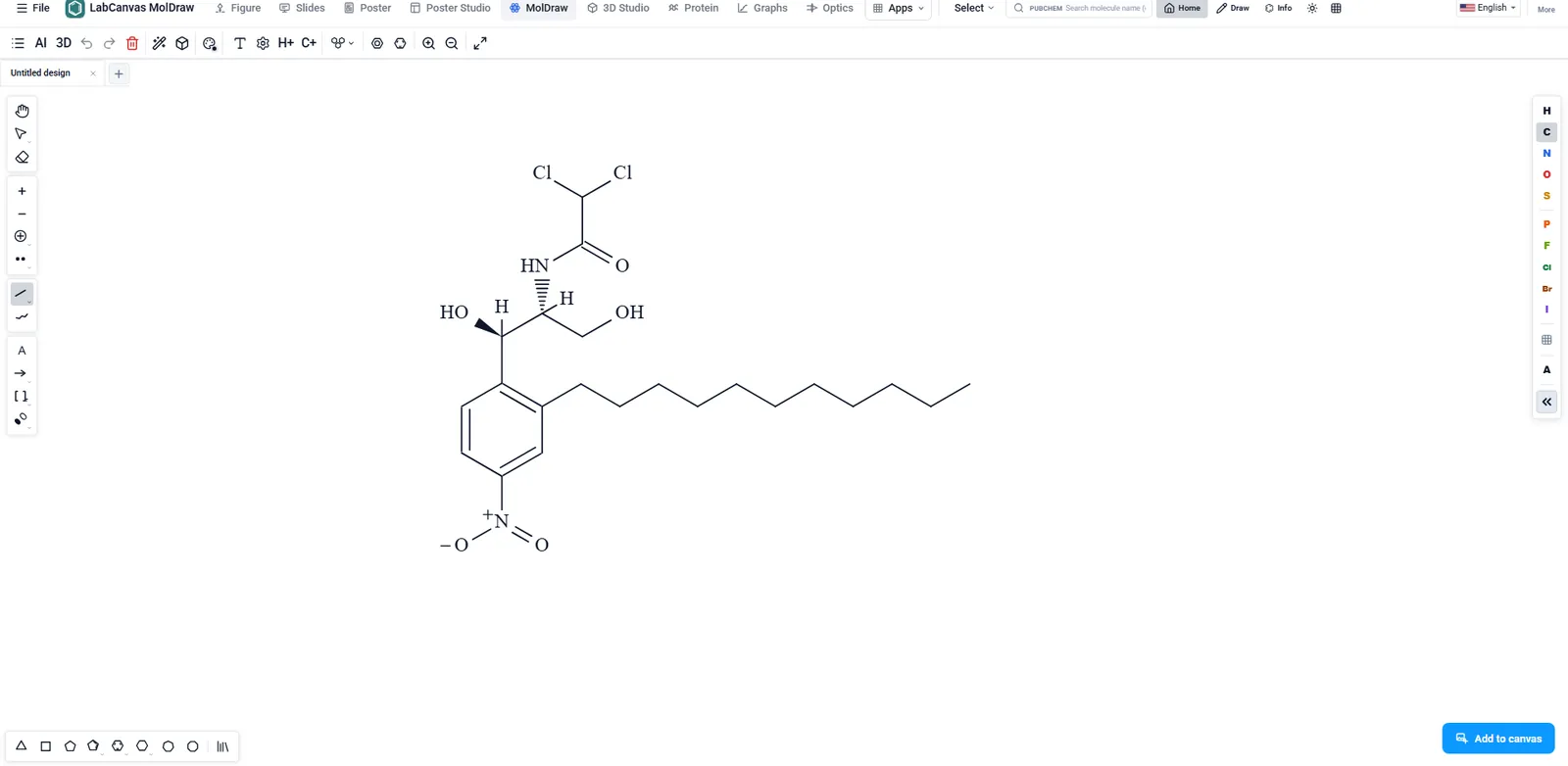
ChemDraw vs LabCanvas MolDraw: chemical structure drawing compared
ChemDraw or LabCanvas MolDraw? Drawing, names, NMR, file formats, price and platforms side by side, a reaction-scheme example, and when ChemDraw is better.
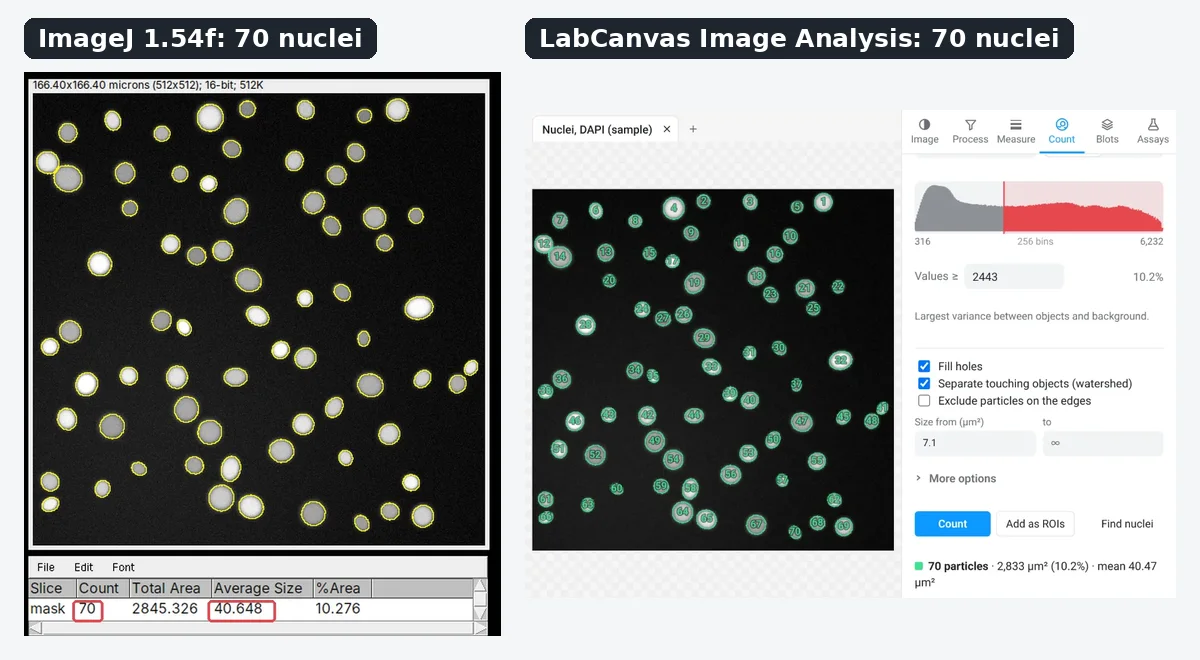
ImageJ vs LabCanvas Image Analysis: an honest comparison
ImageJ/Fiji or LabCanvas Image Analysis? Six everyday jobs in both, eight newer ones (macros, vendor files, 3D, AI, tomography, plugin-style assays) and which to use.
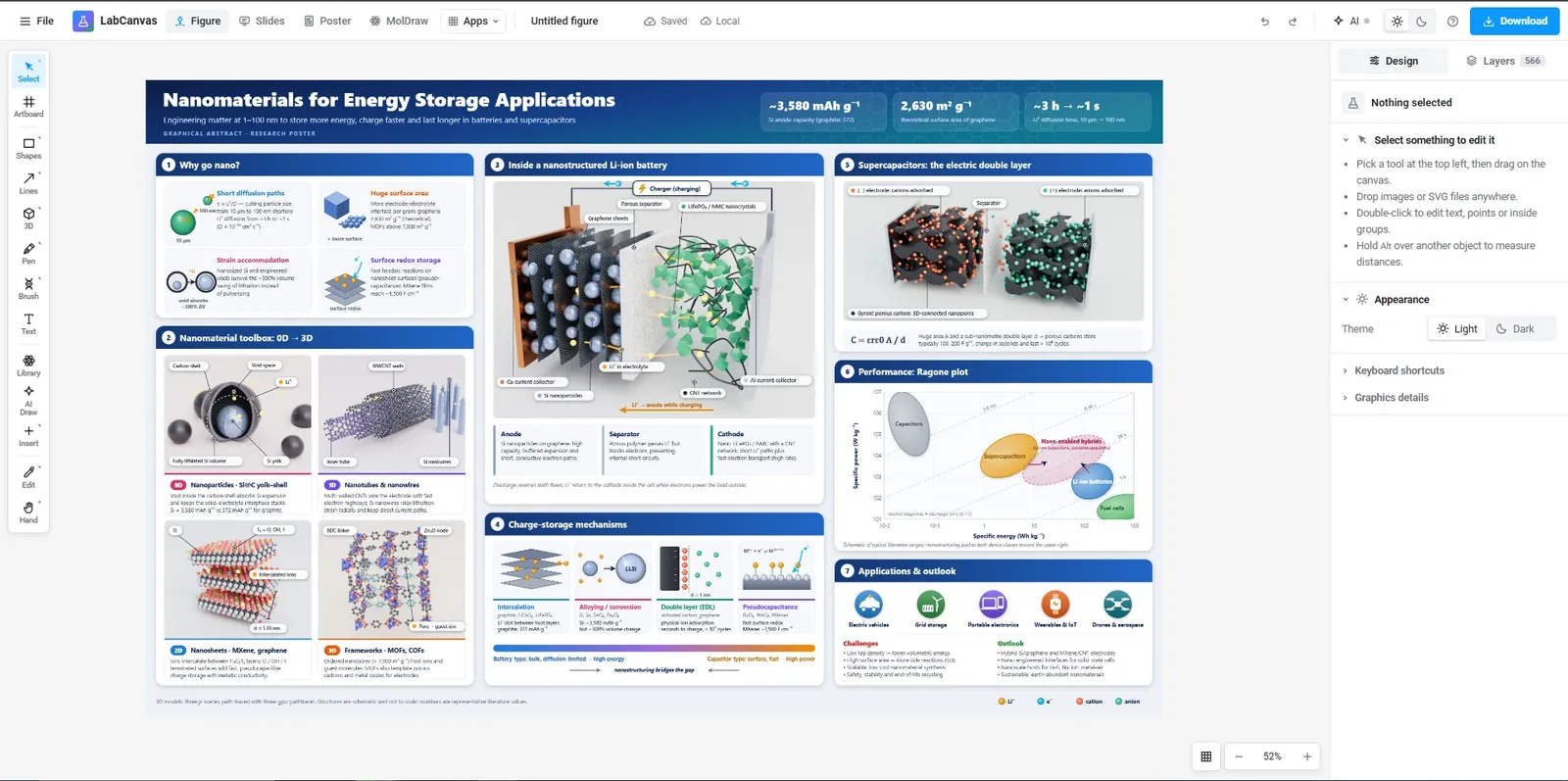
Canva vs LabCanvas for scientific figures: an honest comparison
Canva or LabCanvas for science figures? Graphs, science content, export, price and platforms compared, a graphical abstract in each, and when Canva wins.
Inkscape vs LabCanvas for scientific figures: an honest comparison
Inkscape or LabCanvas for scientific figures? Vector tools, science content, LaTeX, export, price and platforms side by side, and when Inkscape is better.
How we write these comparisons
- Their facts from their pages. Everything said about another product comes from its maker’s own website, help pages and guides, checked in November 2026 and linked under Sources on each page. What we could not confirm there is left out.
- Our facts from our code. Every LabCanvas feature, count and price is read from the apps themselves; counts are computed when the site is built, so they stay current.
- Both directions. Every page says when the other product is the better choice. Most also work through the same job in both programs and show how to move files across, including what does not come across.
- Corrections. Plans and features change. If a comparison is out of date or wrong, write to labcanvasapp@gmail.com and we will fix it.
Prices and plans for LabCanvas are on the pricing page; how the statistics and the image measurements are checked is on the statistics validation and image analysis validation pages.
Frequently asked questions
Does LabCanvas replace all of these programs?
No. It covers the everyday work of several of them in one browser workspace (figures, statistics, structures, image measurements, slides and posters), but each specialist still does some things better: Prism’s vector graph export and Prism Cloud, ChemDraw’s name generation and NMR prediction, ImageJ’s plugins, Canva’s design templates and free downloads, Inkscape’s editable vector files and offline use, BioRender’s life-science icon library. Each comparison lists them.
Are these comparisons independent?
No: the LabCanvas team wrote them, and LabCanvas is not affiliated with any of the other products. To keep them fair, facts about the other products come only from their makers’ own pages (checked November 2026 and linked on each page), and every page says when the other product is the better choice. Corrections are welcome at labcanvasapp@gmail.com.
How much does LabCanvas cost?
Every app is free to use with an account, with up to 3 designs and no downloads. LabCanvas Pro, US$19 a month or US$199 a year (US prices; India pays in rupees), adds downloads in every format, unlimited designs and the AI assistant. See the pricing page.