ChemDraw vs LabCanvas MolDraw: chemical structure drawing compared
ChemDraw or LabCanvas MolDraw? Drawing, names, NMR, file formats, price and platforms side by side, a reaction-scheme example, and when ChemDraw is better.
Contents
The verdict: ChemDraw is a long-established professional chemical drawing program: its higher editions convert names to structures and back, predict ¹H and ¹³C NMR spectra and connect to Word, PowerPoint, Excel and the Signals Notebook, and it reads and writes its own .cdx and .cdxml files as well as MOL, SDF and RXN. LabCanvas MolDraw covers everyday drawing (skeletal structures, stereo bonds, reaction schemes, structures from PubChem) in the browser and is free to start; its strength is what happens next, because the structure lands as a layer in a figure next to 3D crystals, lab glassware, graphs and micrographs. Choose ChemDraw when you need its chemistry intelligence, its integrations or the files your group already shares; choose LabCanvas when the structure is one part of a graphical abstract, a figure, a slide or a poster.
We make LabCanvas, so weigh what follows with that in mind. Everything said about ChemDraw comes from its maker’s own website, help pages and guides, checked in November 2026 and listed under Sources; prices and plans change, so follow the links before you decide. If something here is out of date or wrong, write to labcanvasapp@gmail.com and we will correct it.
Side by side, task by task
| Task | ChemDraw | LabCanvas |
|---|---|---|
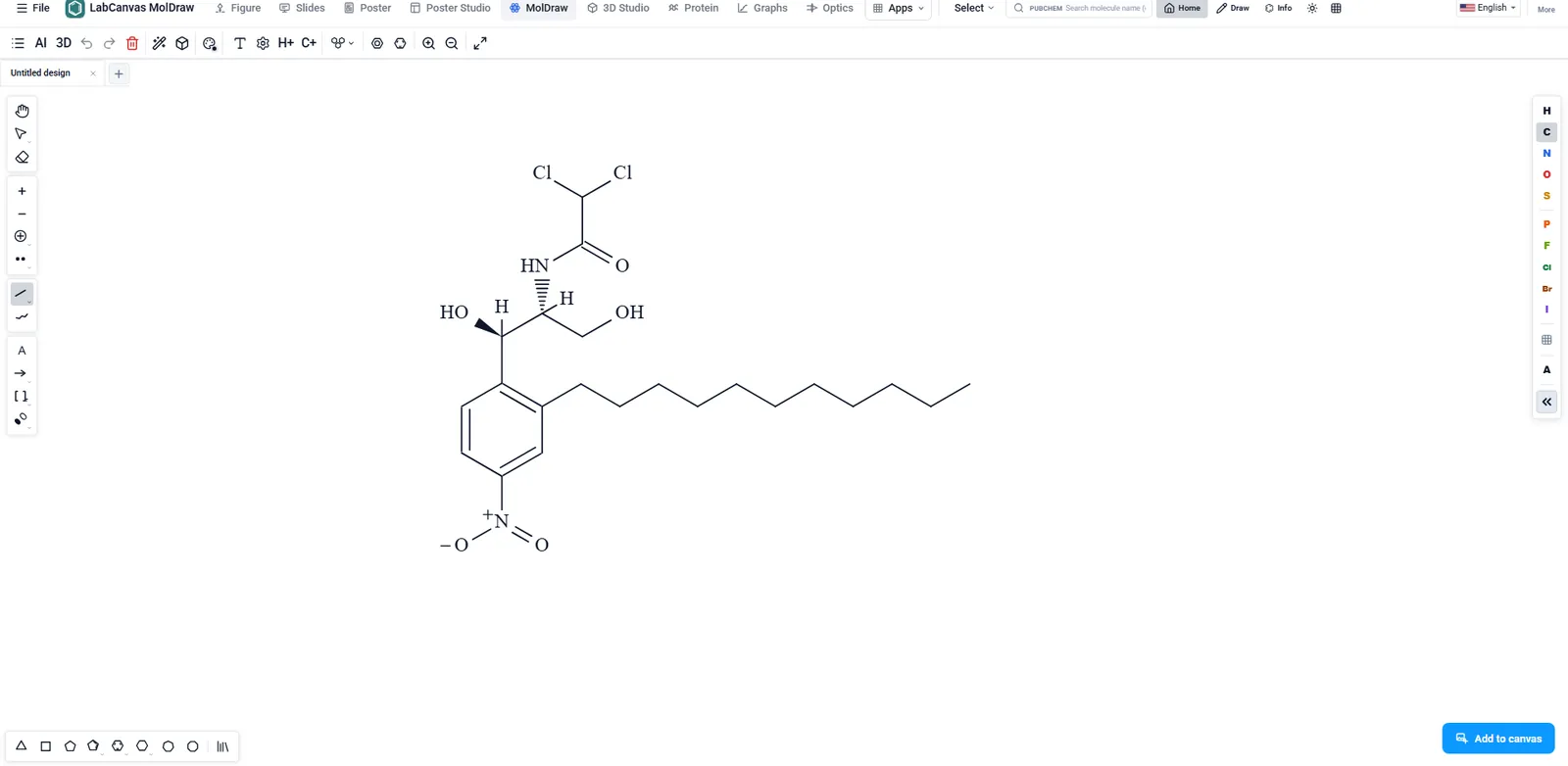
| Structure and reaction drawing | Drawing and editing tools in every edition (ChemDraw Prime and up), with structure and reaction clean-up; style sheets such as ACS Document 1996 set bond lengths, line widths and fonts for ACS journals | MolDraw: atoms, bonds, rings and groups from templates, charges, wedge and hash bonds, reaction arrows with conditions, Newman and Fischer projections, a 3D view of the same molecule |
| Names and structures | Structure to IUPAC name and name to structure in ChemDraw Professional and Signals ChemDraw; batch conversion with ChemDraw for Excel | Finds a compound on PubChem by name and shows the IUPAC name PubChem lists; does not name new structures |
| Spectra and properties | ¹H and ¹³C NMR prediction in ChemDraw Professional and Signals ChemDraw; physico-chemical property predictions from ChemDraw Prime (Windows) | Formula, molecular weight, charge, SMILES and InChI, plus estimates such as logP from the Indigo toolkit; no NMR prediction |
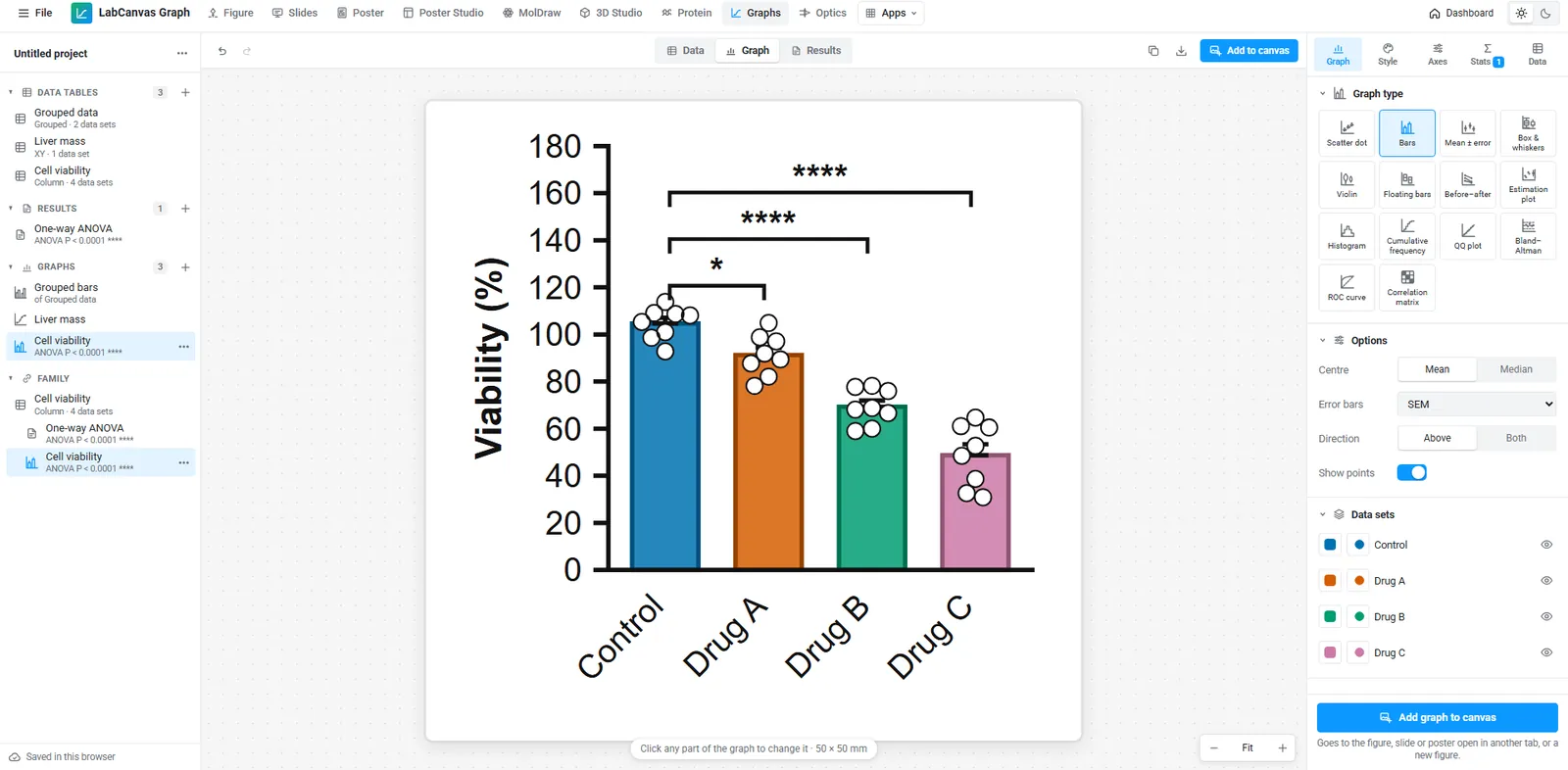
| Graphs and statistics | Not part of ChemDraw | Graphs & statistics: Prism-style tables, tests and curve fits |
| Image analysis | Not part of ChemDraw | Image Analysis for micrographs, blots and gels |
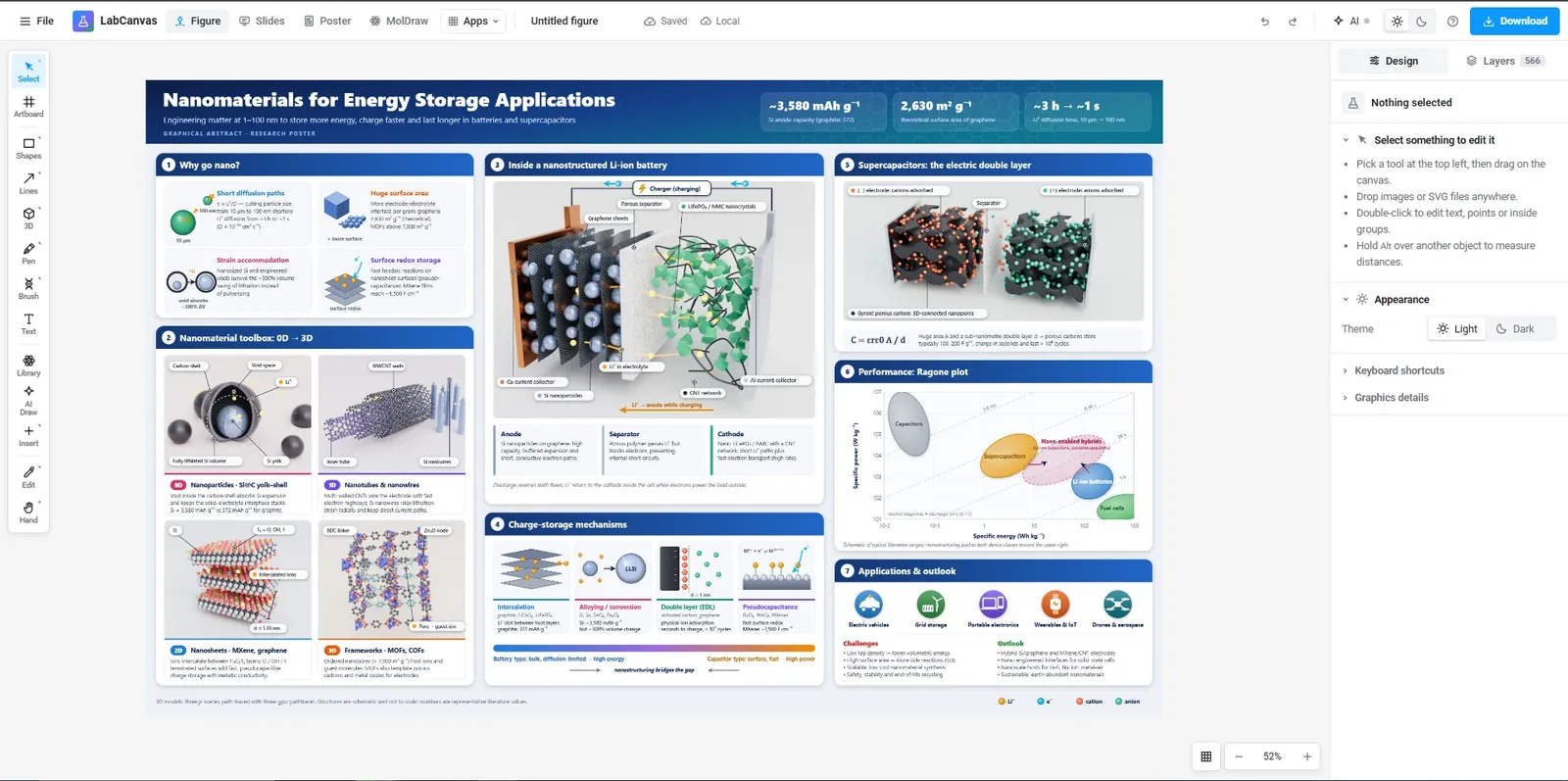
| Illustration and figures | Chemistry drawing; figures are usually assembled in another program | A figure editor with 5,300+ adjustable science objects, connectable lab glassware, crystals from CIF files and LaTeX equations |
| Templates | Ring tools in every edition, a Template tool in the tool palette (your own templates too) and BioDraw templates for biological drawings | Ring and group templates in MolDraw; 250+ figure templates, many of them graphical abstracts of published syntheses |
| File formats | Reads and saves .cdx, .cdxml, MOL (V2000 and V3000), SDF and RXN; copies and pastes SMILES, InChI and InChIKey; saves pictures as PNG, JPEG, TIFF, SVG and EPS | Opens .cdx and .cdxml (structures only), MOL, SDF, SMILES, SMARTS, CML, RXN, InChI and XYZ; saves .cdx, .cdxml, MOL, SMILES, SMARTS, CML, RXN, InChI, PNG and JPEG (Pro) |
| Office and notebooks | ChemDraw objects embedded in Word and PowerPoint, ChemDraw for Excel (Professional), Signals Notebook integration (Signals ChemDraw) | No Office or notebook integration; structures go into LabCanvas figures, slides and posters |
| Collaboration | Cloud storage and collaboration in Signals ChemDraw | Figures, slides and posters shared by link or invitation, edited by several people at once (how) |
| Price | Named-user subscriptions on the Revvity Signals shop: ChemDraw Prime US$700, Professional US$1,355 and Signals ChemDraw US$1,415 a year; 15-day trial of Signals ChemDraw with a work e-mail; many universities hold site licences | Free with an account (no downloads); LabCanvas Pro US$19 a month or US$199 a year for every app |
| Platforms | ChemDraw 26.0 desktop on Windows 10 and 11 (64-bit) and macOS; Linux and ChromeOS not supported; ChemDraw+ in a browser with Signals ChemDraw | Any modern browser, including on Linux and Chromebooks; needs an internet connection |
| Learning | A deep program with document settings, style sheets and a large support knowledge base | Fewer settings: click to draw, or start from a PubChem compound |
Pick ChemDraw when
- You need names from structures, or structures from names, for new compounds. ChemDraw Professional generates IUPAC names for structures nobody has registered; LabCanvas can only show the name PubChem already lists.
- You predict NMR spectra while you draw. ChemDraw Professional and Signals ChemDraw predict ¹H and ¹³C NMR; LabCanvas does not.
- Your work lives in Office or an electronic lab notebook: structures embedded in Word and PowerPoint, ChemDraw for Excel for tables of compounds, or the Signals Notebook.
- You exchange .cdx and .cdxml files with full fidelity, including text, arrows and page layout. LabCanvas reads only the structures from them.
- You submit to ACS journals and want their drawing standard in one click with the ACS Document 1996 style sheet.
- Your institution already pays for a site licence. Then the price question disappears.
Pick LabCanvas when
- The structure is going into a figure. In LabCanvas, MolDraw opens over the figure editor and Add to canvas places the structure as a layer, next to crystals from the 3D Studio, glassware setups, graphs and micrographs.
- You make graphical abstracts. Open a canvas at your journal’s graphical abstract size or start from one of the templates of published syntheses, each citing its papers.
- You have no licence, or no Windows or Mac. MolDraw runs in a browser, including on Linux and Chromebooks, and is free to start.
- You want chemistry, data and illustration in one subscription: structures, Prism-style statistics, image analysis, slides and posters for US$19 a month or US$199 a year.
Example: a reaction scheme for a graphical abstract
In ChemDraw
- Choose the ACS Document 1996 style sheet (or your journal’s settings) so bond lengths and fonts match the journal.
- Draw the starting material and product, add a reaction arrow with the reagents and conditions above and below it, and clean up the structures.
- Copy the scheme into PowerPoint or Word, or save it as a picture (TIFF, PNG, SVG or EPS), and assemble the graphical abstract in a presentation or illustration program.
In LabCanvas
- Open the figure editor at your journal’s graphical abstract size (for example the ACS table-of-contents graphic, 3.25 × 1.75 in; see graphical abstract sizes).
- Open MolDraw from the editor. Search PubChem by name for the starting material, or draw it, then add the reaction arrow with its conditions.
- Click Add to canvas: the scheme becomes a layer of the figure. Add the product’s crystal structure from the 3D Studio, a glassware setup or a graph beside it.
- Export the graphical abstract as a TIFF or PNG at the size and resolution the journal asks for (LabCanvas Pro). LabCanvas exports pictures, not SVG or EPS.
Moving structures from ChemDraw to LabCanvas
- In ChemDraw, keep or save your drawing as .cdxml (or .cdx, or .mol).
- In MolDraw choose File › Open… and pick the file. The structures arrive with their atoms, bonds, charges, isotopes and wedge and hash bonds, at their ChemDraw positions.
- Text, arrows, brackets and other drawing objects on the ChemDraw page are not imported: add them again in MolDraw or in the figure editor.
- To go back, File › Save as writes .cdxml or .cdx that ChemDraw opens (LabCanvas Pro). You can also paste SMILES into MolDraw’s SMILES bar.
Sources
Revvity Signals pages, checked November 2026:
- ChemDraw product page and Signals ChemDraw
- ChemDraw: which is right for me? (edition chart) and the ChemDraw suite feature chart: features by edition, file formats
- Signals ChemDraw 23.0 data sheet: picture formats, Word and PowerPoint integration
- Revvity Signals shop: ChemDraw Prime, ChemDraw Professional and Signals ChemDraw subscriptions
- ChemDraw perpetual licences discontinued on 1 January 2025
- How can I subscribe for ChemDraw as a trial?
- ChemDraw system requirements
- Is there a batch option for Name to Structure? (ChemDraw for Excel)
- Where are the BioDraw templates? and sharing a ChemDraw template file
- Making a style sheet such as ACS Document 1996 the default
LabCanvas: the MolDraw guide and the pricing page. ChemDraw is a trademark of Revvity; LabCanvas is not affiliated with Revvity Signals.
Frequently asked questions
Is there a free alternative to ChemDraw?
LabCanvas MolDraw draws structures and reaction schemes in the browser and is free to use with a LabCanvas account; saving files (images, .mol, .cdxml) is part of LabCanvas Pro (US$19 a month or US$199 a year). It covers everyday drawing, not ChemDraw Professional’s name generation, NMR prediction or Office and notebook integrations.
Can LabCanvas open ChemDraw files?
Yes, the structures. MolDraw’s File › Open… reads ChemDraw .cdxml and .cdx files and takes their atoms, bonds, charges, isotopes and wedge and hash bonds. Text boxes, arrows and other drawing objects on a ChemDraw page are not imported. It also opens .mol, .sdf, SMILES, SMARTS, CML, RXN, InChI and XYZ files.
Can I send a LabCanvas structure back to ChemDraw?
Yes. File › Save as writes ChemDraw XML (.cdxml), ChemDraw binary (.cdx) and Molfile (.mol), as well as SMILES, SMARTS, CML, RXN and InChI (LabCanvas Pro).
Does LabCanvas predict NMR spectra or generate IUPAC names?
No. ChemDraw Professional predicts ¹H and ¹³C NMR spectra and converts structures to names and names to structures. MolDraw shows the IUPAC name that PubChem lists for a compound when PubChem has it, and finds structures on PubChem by name, but it does not name new structures or predict spectra.
How much does ChemDraw cost?
Revvity Signals’ online shop lists named-user subscriptions at US$700 a year for ChemDraw Prime, US$1,355 for ChemDraw Professional and US$1,415 for Signals ChemDraw (checked November 2026). Perpetual licences were discontinued on 1 January 2025. Many universities provide ChemDraw through a site licence, so check with yours first.
Does ChemDraw run on Linux or in a browser?
ChemDraw desktop runs on Windows 10 and 11 (64-bit) and macOS; Revvity Signals lists Linux and ChromeOS as not supported. Signals ChemDraw adds ChemDraw+, used in a web browser. LabCanvas MolDraw runs in any modern browser.
Try it in LabCanvas
Every app is free to start in your browser. Create an account and begin.
Open the LabCanvas dashboardKeep reading
Canva vs LabCanvas for scientific figures: an honest comparison
Canva or LabCanvas for science figures? Graphs, science content, export, price and platforms compared, a graphical abstract in each, and when Canva wins.
Inkscape vs LabCanvas for scientific figures: an honest comparison
Inkscape or LabCanvas for scientific figures? Vector tools, science content, LaTeX, export, price and platforms side by side, and when Inkscape is better.
GraphPad Prism vs LabCanvas: a free Prism alternative for graphs and statistics, compared
GraphPad Prism or LabCanvas Graphs? Statistics, export, Prism file import, price and platforms side by side, a dose–response example, and when Prism wins.