Online chemistry whiteboard with molecules and reactions
A free online chemistry whiteboard: reaction schemes in mhchem, structures drawn in MolDraw, notes for conditions, work-up and safety. In your browser, no account.
Contents
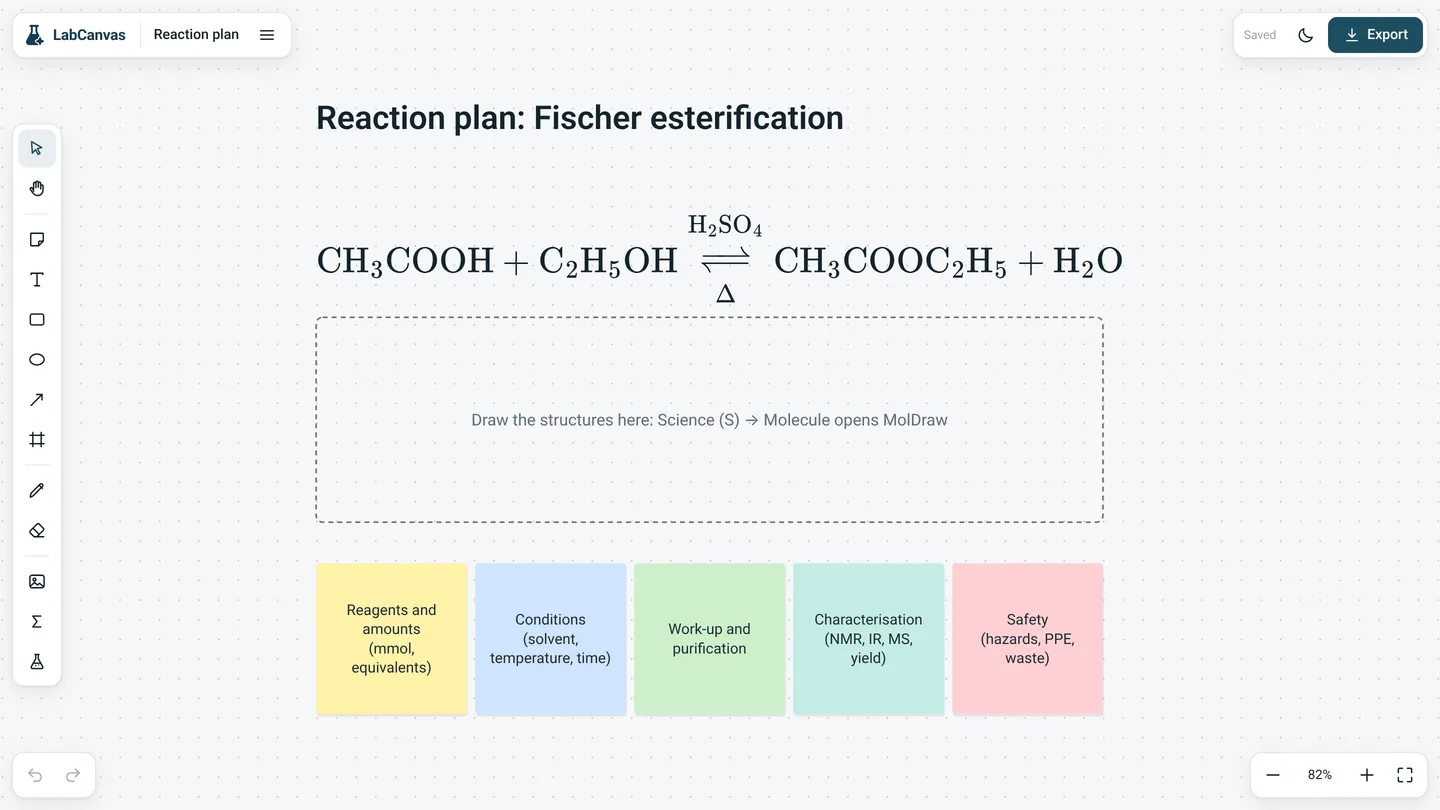
Planning a synthesis, teaching a mechanism or comparing routes is easier on a board where chemistry looks like chemistry. This board starts with a reaction scheme typeset from mhchem (a Fischer esterification, ready to replace with yours), a space for structures and five notes for what a reaction plan needs. The Science button opens MolDraw over the board, so real skeletal structures go next to the notes.
What’s on the board
| Part | What it is for |
|---|---|
| Reaction scheme | Typed in LaTeX with mhchem, for example \ce{A + B ->[cat.] C}; double-click it to edit. |
| Structures | A dashed area for structures drawn in MolDraw (Science, then Molecule). |
| Reagents and amounts | mmol and equivalents. |
| Conditions | Solvent, temperature and time. |
| Work-up and purification | Extraction, chromatography, recrystallisation. |
| Characterisation | NMR, IR, MS and the yield. |
| Safety | Hazards, PPE and waste. |
Everything on it is an ordinary note, box, arrow or equation: change the text, move it, recolour it or delete it. The whiteboard guide has every tool and shortcut.
How to use it
- Click Open this board.
- Double-click the reaction scheme and type your own in mhchem:
\ce{C6H5Br + Mg ->[Et2O] C6H5MgBr}. The preview updates as you type. - Press S (the Science button) and choose Molecule. MolDraw opens over the board: draw the structure, or search PubChem by name, then click Add to board.
- To change a structure later, double-click its picture: it opens in MolDraw again, ready to edit.
- Fill in the notes, and draw curly arrows or highlight a bond with the pen (P) when you explain a mechanism.
- Export the board as a PNG for your lab book, a group meeting or a teaching slide.
Proteins too
The same Science button opens the Protein viewer: type a PDB ID such as 4HHB, choose a style and colouring, and add a snapshot of the structure to the board. That is useful next to a ligand you are designing or a binding-site discussion. For structures in a journal figure, use MolDraw in the LabCanvas Figure editor instead.
Other ready-made boards
- Research brainstorm: online mind map for research
- Literature map: literature map template
- Experiment plan: experiment plan template
- Journal club and lab meeting: whiteboard for lab meetings and journal clubs
- Maths and physics whiteboard: online whiteboard for maths and physics
- Kanban for lab projects: Kanban board for research
Or open a blank whiteboard and start from scratch.
Frequently asked questions
How do I write a chemical equation on the whiteboard?
Press M for an equation and use mhchem: \ce{2H2 + O2 -> 2H2O}. Numbers after an element become subscripts, <=> gives an equilibrium arrow and text in square brackets after an arrow goes above it.
Can I draw chemical structures on it?
Yes. Science (S), then Molecule, opens MolDraw over the board: draw with atoms, bonds, rings and charges, or start from a PubChem compound, then Add to board. Double-click the structure later to edit it again.
Is it free, and do I need an account?
Yes, it is free, and there is no account or sign-up. Open this board starts a new chemistry board in your browser straight away.
Where is my board saved?
In your own browser (IndexedDB), automatically, on your device; nothing is uploaded. Boards you opened before stay as they were: the template opens as a new board. To keep a copy or move the board to another computer, save it as a .whiteboard.json file from the board menu and open it there.
Can I share the board with my group?
There is no sharing link or live editing together. Send the .whiteboard.json file, which anyone can open in their own browser, or export the board as a PNG picture for slides, an e-mail or the lab chat.
Try it in LabCanvas
The whiteboard is free and needs no account: it opens straight away in your browser.
Open Whiteboard free in your browserKeep reading
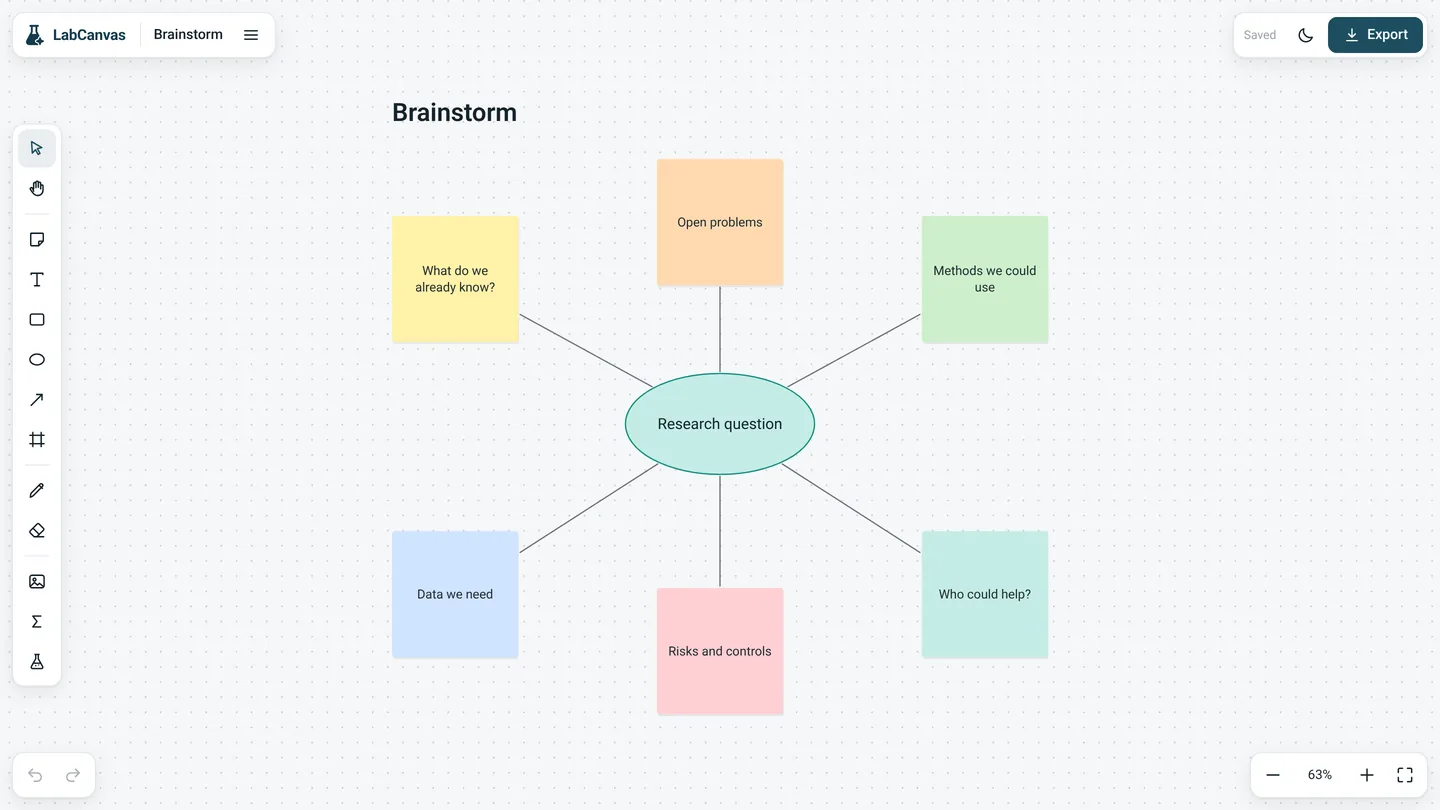
Mind map for research: a free brainstorming whiteboard
A free online mind map for research: your question in the middle, ideas on sticky notes around it, joined by connectors that stay attached. No account.
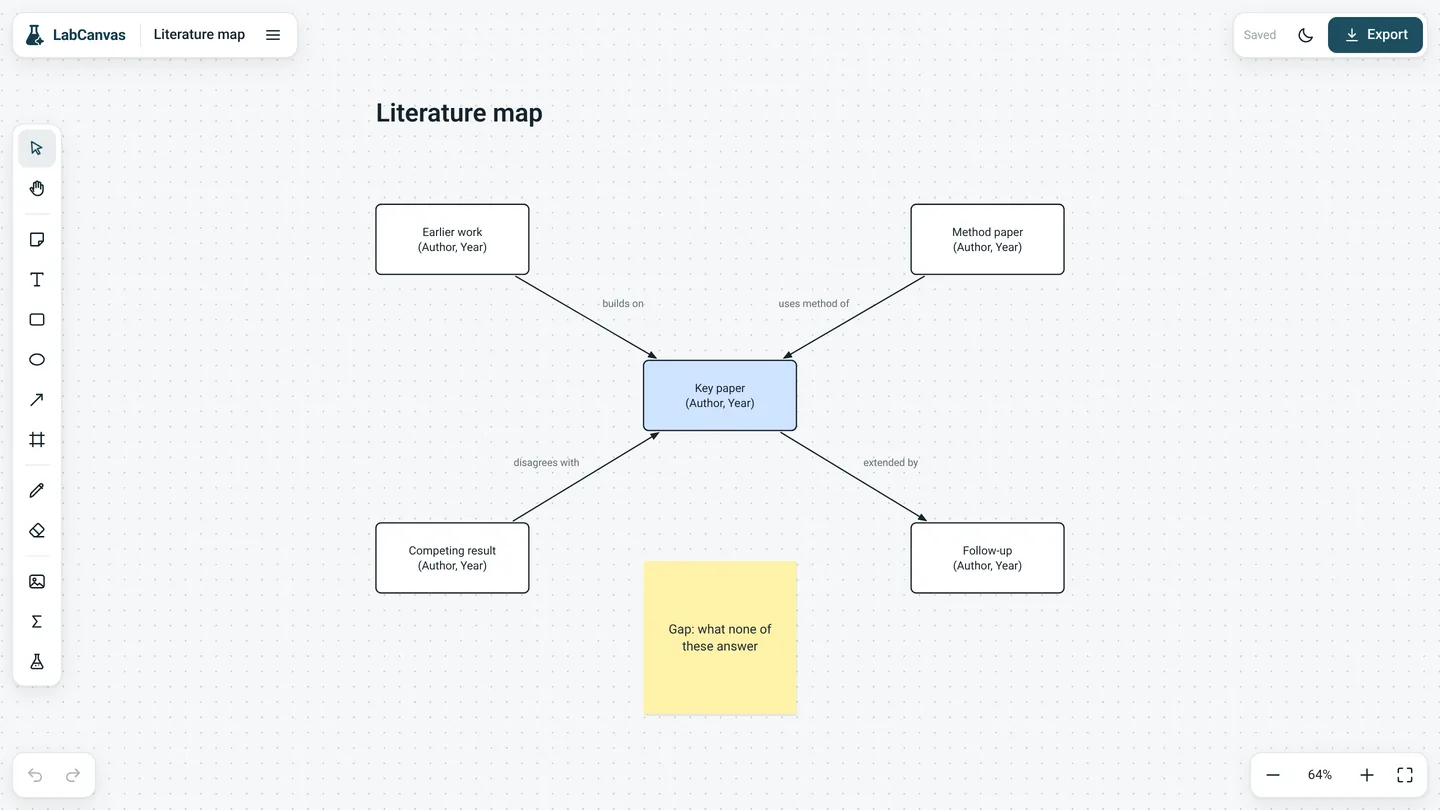
Literature map template: map papers on a free whiteboard
A free literature map template: a key paper in the middle, earlier work, methods, competing results and follow-ups around it, with labelled arrows. No account.
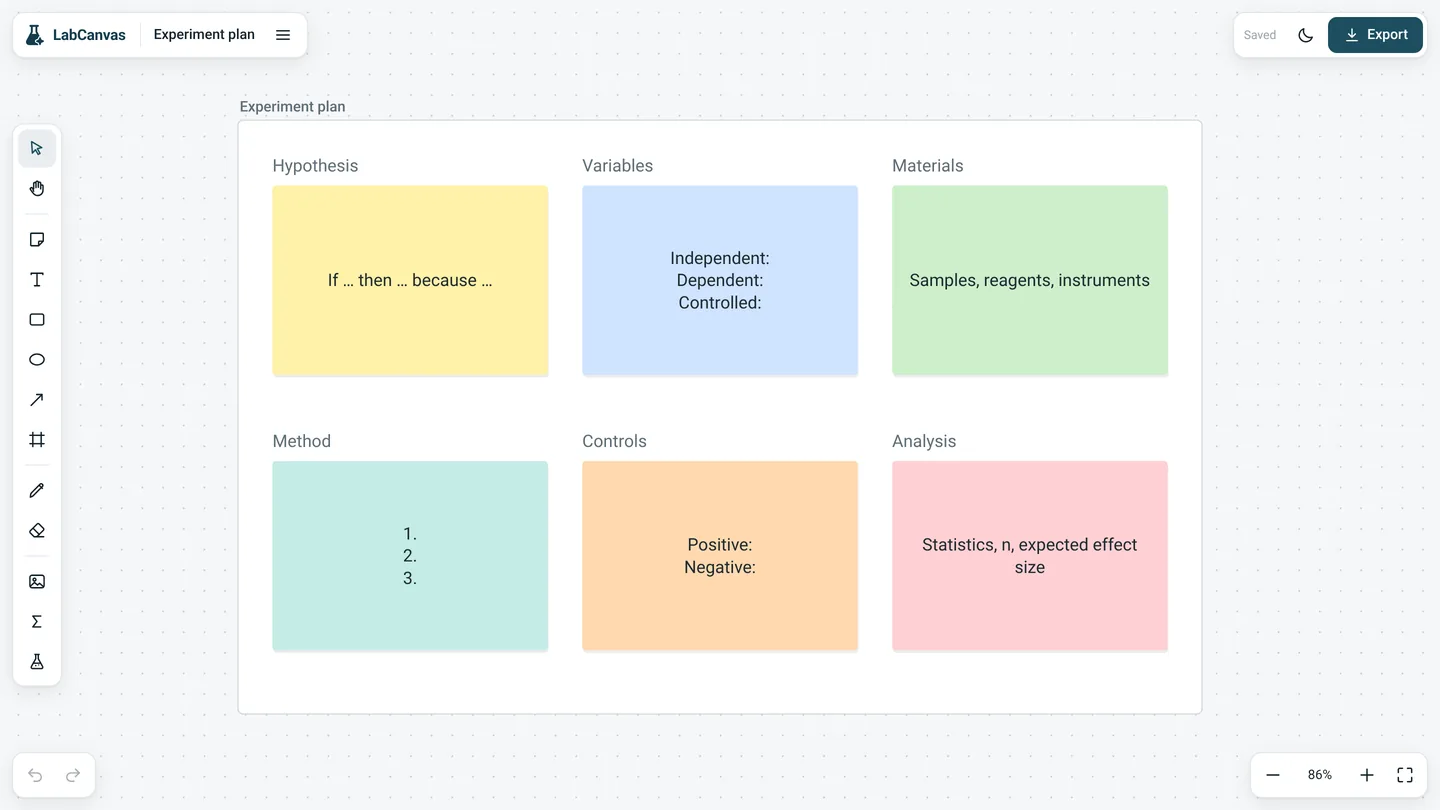
Experiment plan template on a free online whiteboard
A free experiment plan template: hypothesis, variables, materials, method, controls and analysis on one board, so the whole design is in view. No account.