Free online whiteboard for scientists and researchers
A free online whiteboard for research: sticky notes, LaTeX equations, molecules from MolDraw, PDB protein structures and connectors on an infinite canvas. No account.
Contents
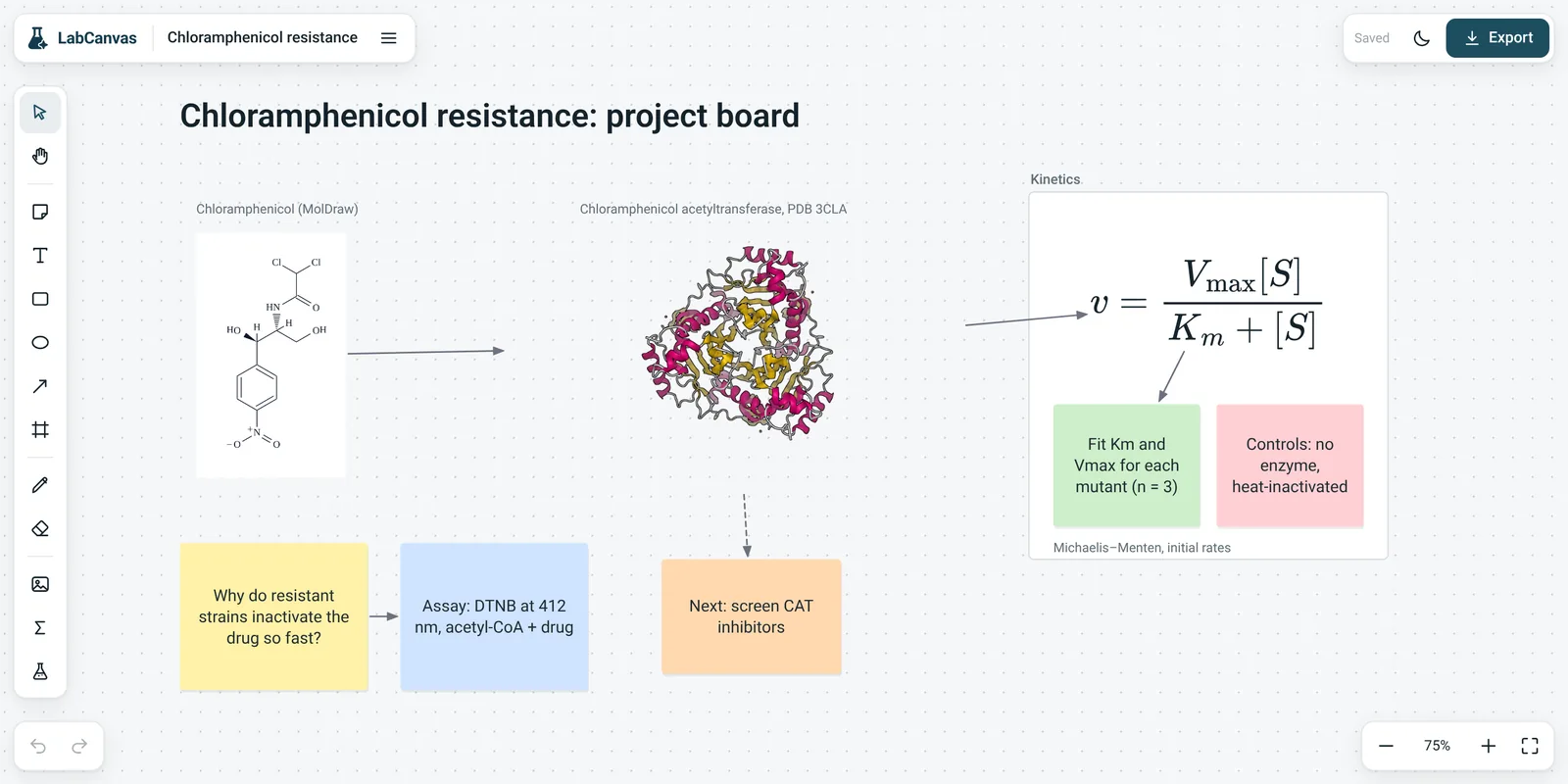
The LabCanvas Whiteboard is a free online whiteboard made for research. Open it and you have an infinite canvas with sticky notes, text, shapes, frames, freehand drawing, pictures and connector arrows that stay attached, plus three things general whiteboards leave out: LaTeX equations typeset by MathJax, molecules drawn in MolDraw and protein structures from the PDB. It needs no account, runs in the browser on computers, tablets and phones, and keeps your boards on your own device.
What it is for
- Brainstorming a project or a grant: the question in the middle, ideas around it.
- Mapping the literature: papers as boxes, how they relate as labelled arrows.
- Planning an experiment: hypothesis, variables, controls and analysis in view at once.
- Lab meetings and journal clubs, shared on screen and exported as a picture afterwards.
- Working through a derivation or a reaction mechanism with typeset equations and structures.
- Tracking lab projects on a Kanban board.
Ready-made boards
Each of these opens a new board from a template, so a board you already have is never replaced. Every page says what is on the board and how to use it.
- Research brainstorm: Research question, What do we already know?, Open problems, Methods we could use. Open the board.
- Literature map: Key paper, Earlier work, Method paper, Competing result. Open the board.
- Experiment plan: Hypothesis, Variables, Materials, Method. Open the board.
- Journal club and lab meeting: Lab meeting, Paper, Question, Methods. Open the board.
- Chemistry whiteboard: Reaction scheme, Structures, Reagents and amounts, Conditions. Open the board.
- Maths and physics whiteboard: Equations, Arrows, Labels, Assumptions. Open the board.
- Kanban for lab projects: To do, In progress, Review, Done. Open the board.
How to use it
- Open the whiteboard. A blank board appears, with templates to start from.
- Double-click the board to add a sticky note, or pick a tool on the left: N note, T text, R rectangle, O ellipse, F frame, P pen.
- Join things with a connector (A): drag from one note or shape to another. The arrow stays attached when you move either end.
- Press M to type an equation in LaTeX, or S for the Science button to add a molecule or a protein.
- Paste a screenshot (Ctrl+V or ⌘V), drop a picture file, or press I to pick one.
- Click Export for a PNG of the board, or save a .whiteboard.json file from the board menu.
The tools
| Tool | Key | What it does |
|---|---|---|
| Select and hand | V, H | Select, move and resize; pan the board (or hold Space, or drag with two fingers) |
| Sticky note | N | Notes in seven soft colours that grow to fit their text |
| Text | T | Text boxes in four sizes, bold, in the theme’s ink or a colour |
| Rectangle and ellipse | R, O | Shapes with a fill, an outline (solid or dashed) and text inside |
| Connector arrow | A | Lines and arrows that attach to notes, shapes and pictures and follow them |
| Frame | F | A titled area; moving it moves everything inside |
| Pen and highlighter | P | Freehand strokes that follow pen pressure, or a wide translucent highlighter |
| Eraser | E | Removes pen strokes |
| Picture | I | PNG, JPEG, GIF or WebP, picked, pasted or dropped |
| Equation | M | LaTeX typeset by MathJax, with chemistry (\ce{}) |
| Science | S | A molecule from MolDraw or a protein from the Protein viewer |
Also: undo and redo, copy and paste between browser tabs, duplicate (Ctrl+D), lock an item, bring to front or send to back, snapping guides that line items up with their neighbours, a dotted, lined or plain background, and a light and a dark theme.
Equations, molecules and proteins
These are what make it a whiteboard for science rather than a general one.
Equations. Press M, type LaTeX such as \frac{V_{\max}[S]}{K_m + [S]} and see it typeset as you type; an error shows under the preview instead of breaking anything. Equations are drawn from glyph outlines, so they stay sharp at any zoom and in the PNG. Reactions use mhchem: \ce{CH3COOH + C2H5OH <=> CH3COOC2H5 + H2O}.
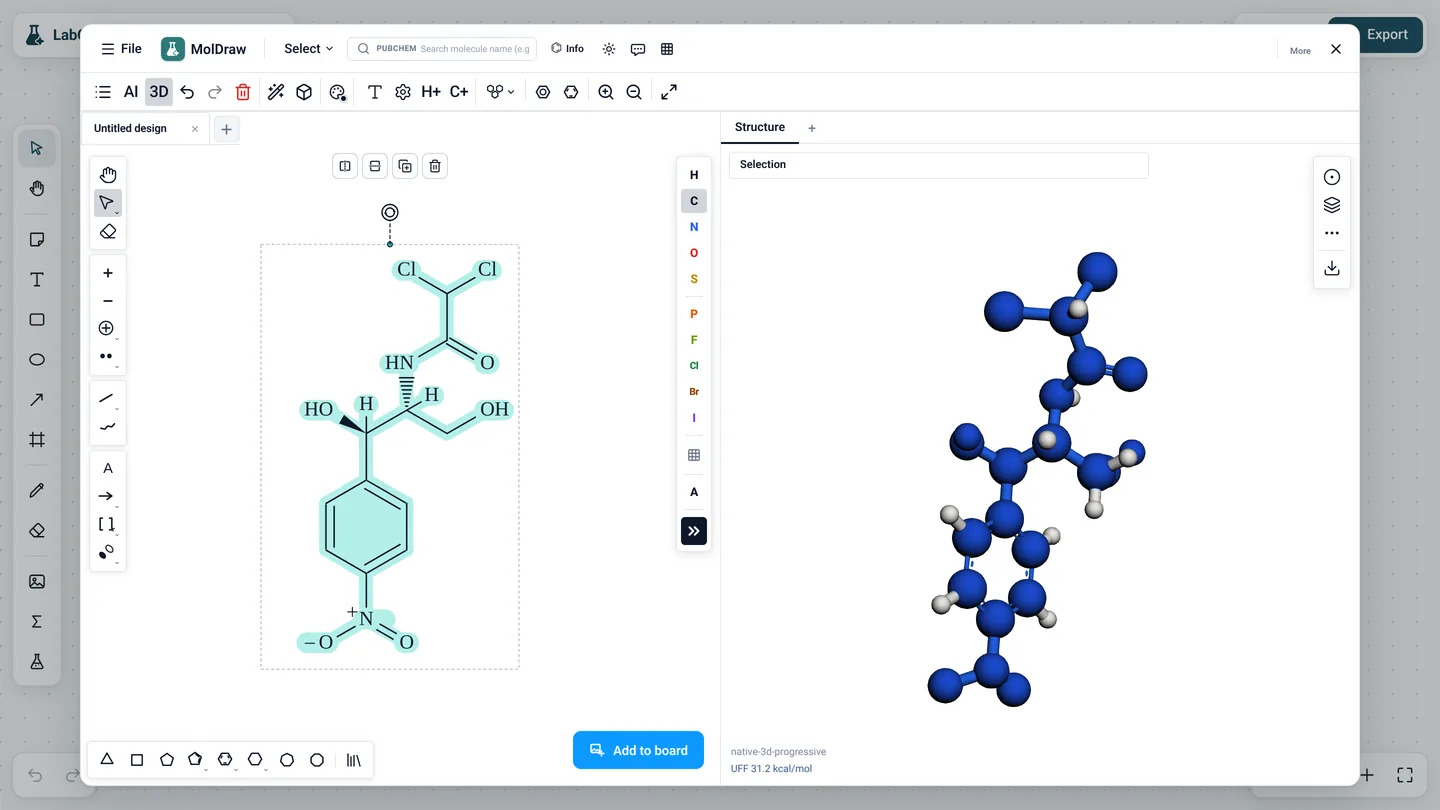
Molecules. The Science button (S) opens MolDraw in a window over the board. Draw a structure with atoms, bonds, rings and charges, or search PubChem by name, then click Add to board. Double-click the structure on the board to open it in MolDraw again and change it.
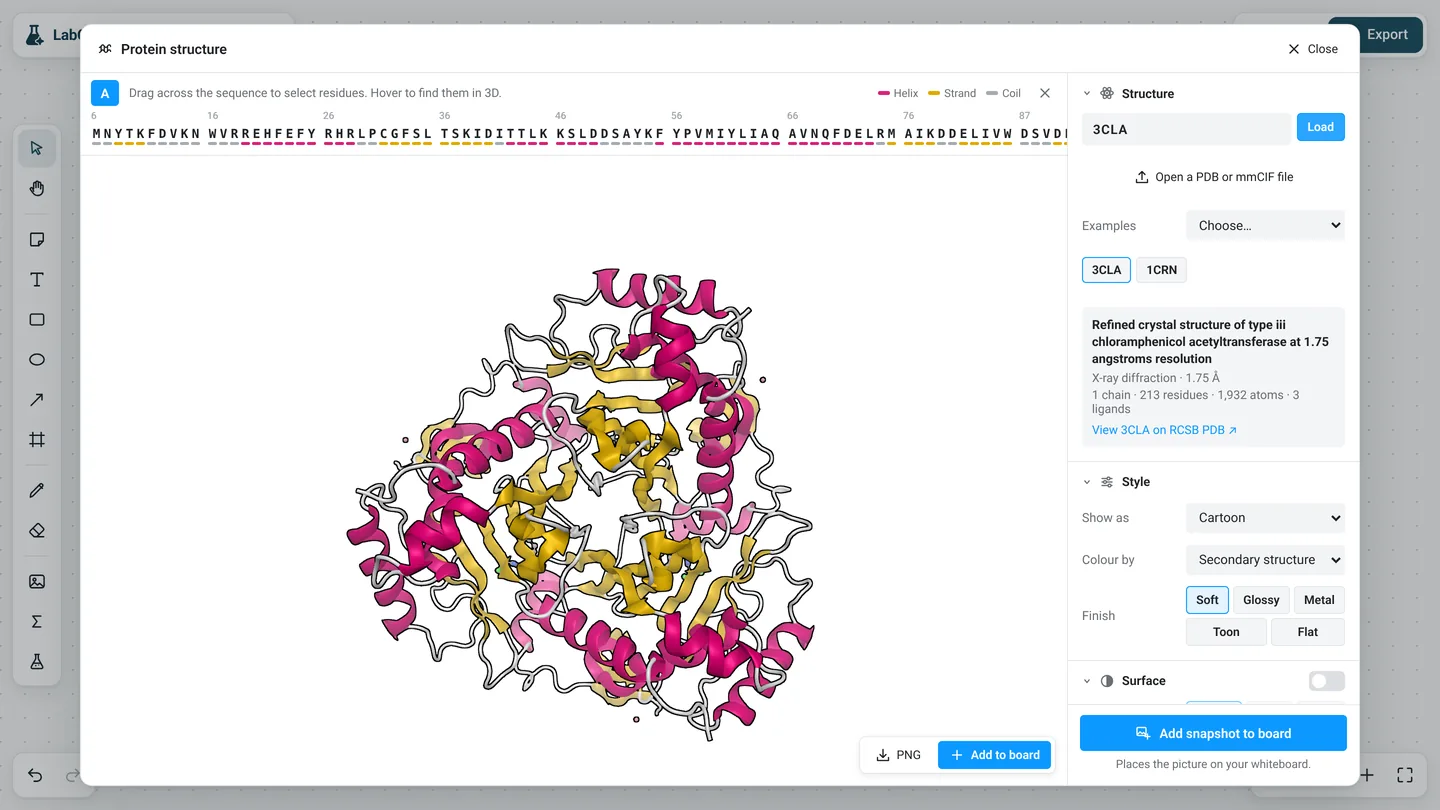
Proteins. The same button opens the Protein viewer: enter any PDB ID (4HHB for haemoglobin, for example), choose cartoon, surface or ball-and-stick and a colouring, and add a snapshot to the board. Double-click it to change the view.
Where your boards are kept
- In your browser. Boards save automatically to this browser’s storage (IndexedDB) on your device; the status at the top right says Saved. Nothing is uploaded.
- As files. Save as file in the board menu downloads a .whiteboard.json file; Open a file, or dropping the file on the board, opens it again, on any computer.
- As pictures. Export downloads a PNG of the whole board, or of the selection, at twice screen resolution.
Because boards live in one browser, a board made on your laptop is not on your phone until you open its file there. A private or incognito window deletes its storage when it closes, and a browser that blocks storage shows Not saved at the top right: in both cases, save a file to keep your work.
What it does not do
To keep it simple and free, the whiteboard leaves some things out: there is no live collaboration, sharing link, comments or cloud sync, and it exports PNG pictures only (no PDF or SVG). Shapes do not rotate, and there are no tables. If your group needs to edit together in real time, a collaborative whiteboard such as Miro or FigJam is the better tool; the comparison sets out where each fits.
The rest of LabCanvas
The whiteboard is for thinking. When an idea becomes a figure, the LabCanvas apps take over: the Figure editor for journal figures and graphical abstracts, Graphs & statistics for data, and Slides and Research Poster for presenting it. More free tools need no account, like the whiteboard.
Frequently asked questions
Is the LabCanvas Whiteboard free?
Yes, completely. Every tool, template and export is free, with no limit on the number of boards and no trial period.
Do I need an account?
No. Open the whiteboard and start drawing: there is no sign-up and no login, also for the Science button (MolDraw and the Protein viewer open inside the board without an account).
Where are my boards saved?
In your browser’s own storage (IndexedDB) on your device, automatically as you work; they are not uploaded. The board menu lists the boards in this browser. Save a .whiteboard.json file to keep a copy or to open a board on another computer, and open it there with Open a file. Clearing the browser’s site data deletes the boards kept in it, so save a file of the ones you need.
Can I add equations?
Yes. Press M and type LaTeX without dollar signs; MathJax typesets it as you type, including chemistry with \ce{}. Double-click an equation to change it.
Can I add molecules and protein structures?
Yes. The Science button (S) opens MolDraw, to draw a structure or start from PubChem, or the Protein viewer, to show any PDB entry in the style you choose. Add to board places the picture on the board; double-click it later to edit the molecule or the protein view again.
How do I export a board?
Click Export for a PNG of the whole board at twice screen resolution, or use the board menu to export only the selection. Exports are PNG pictures; there is no PDF or SVG export. To carry on editing elsewhere, save the .whiteboard.json file.
Does it work on a phone or tablet?
Yes. On phones the tool bar moves to the bottom with the everyday tools and a More button; pinch to zoom and drag with two fingers to pan. On a tablet with a pen, the pen follows pressure.
Can I collaborate with others in real time?
No: there is no live collaboration, sharing link or cloud sync. One person edits; share the board by sending the .whiteboard.json file or a PNG. If your group needs to edit together live, the comparison with Miro, FigJam, Excalidraw and tldraw says which tools do that.
Try it in LabCanvas
The whiteboard is free and needs no account: it opens straight away in your browser.
Open Whiteboard free in your browserKeep reading
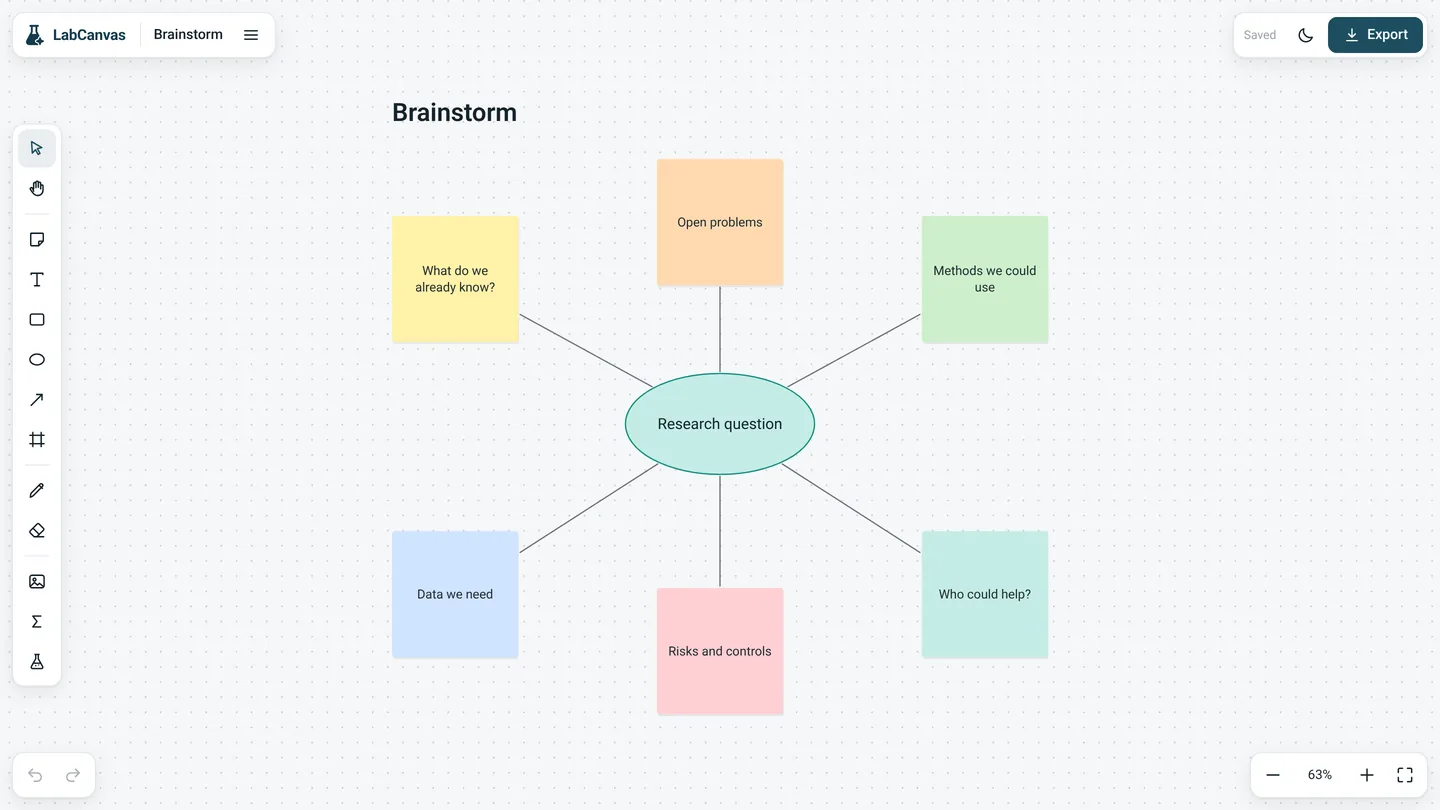
Mind map for research: a free brainstorming whiteboard
A free online mind map for research: your question in the middle, ideas on sticky notes around it, joined by connectors that stay attached. No account.
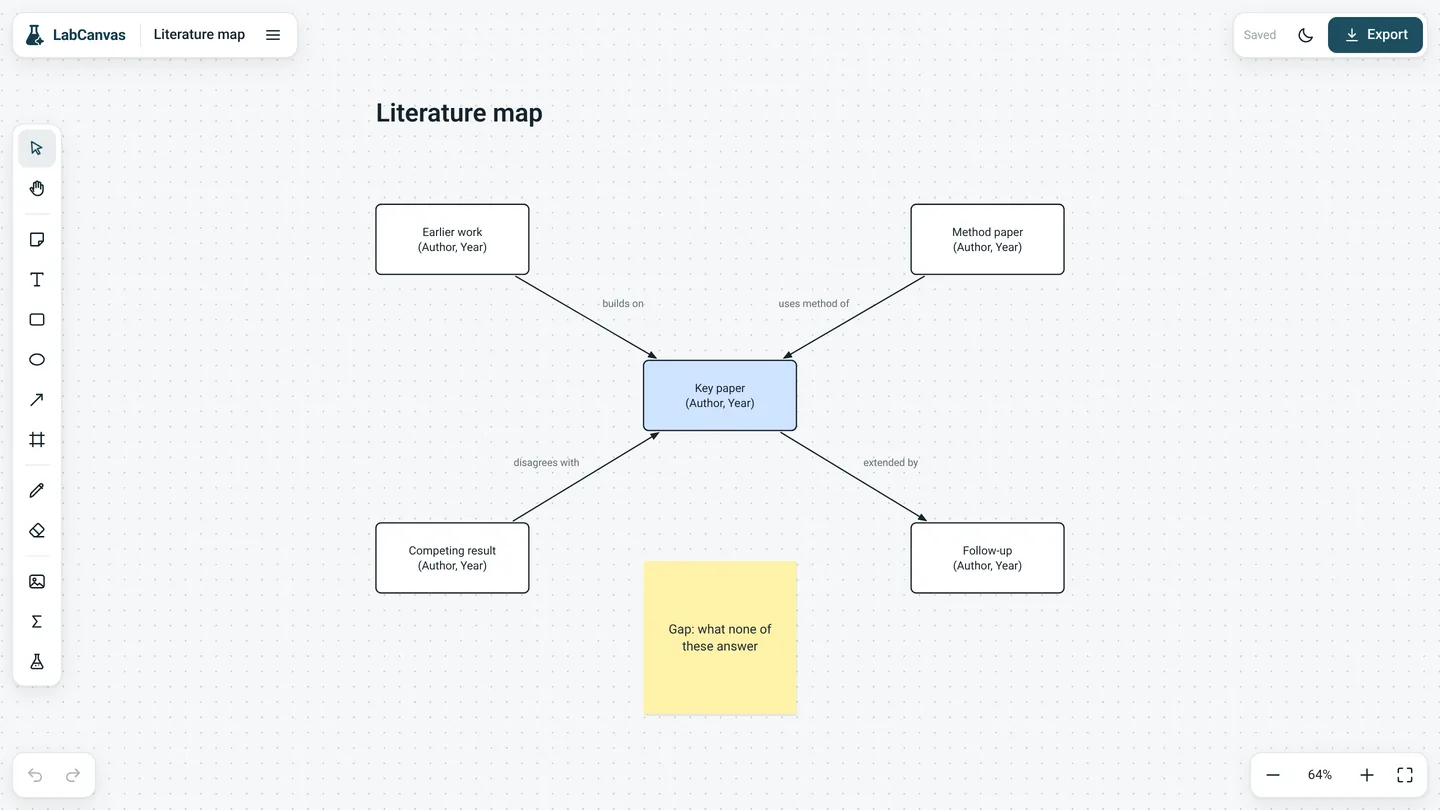
Literature map template: map papers on a free whiteboard
A free literature map template: a key paper in the middle, earlier work, methods, competing results and follow-ups around it, with labelled arrows. No account.
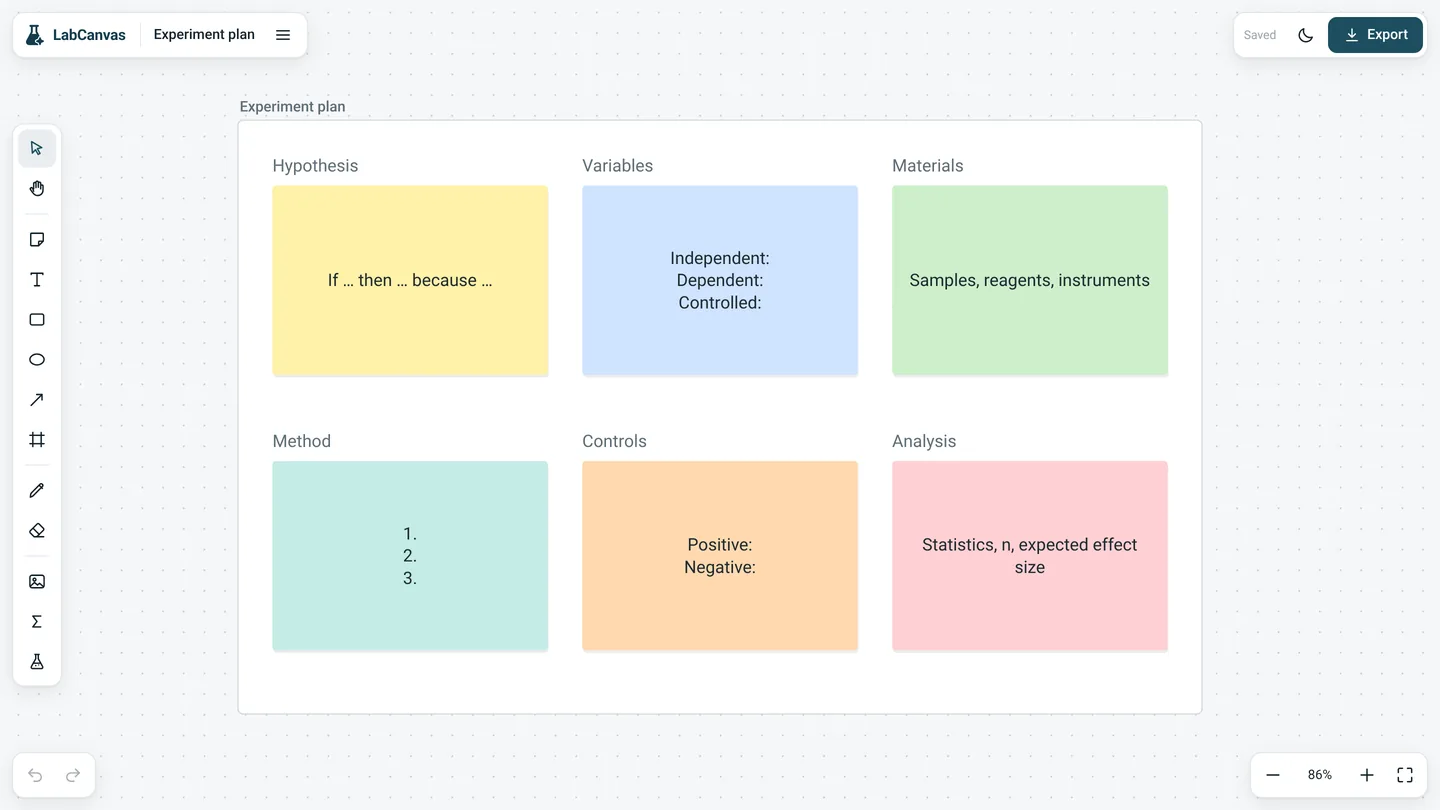
Experiment plan template on a free online whiteboard
A free experiment plan template: hypothesis, variables, materials, method, controls and analysis on one board, so the whole design is in view. No account.