TikZ colour and shading examples
Contents
Six figures from the code of Stefan Kottwitz’s LaTeX Graphics with TikZ: a colour wheel, a colour triangle, ball shading, a shaded spiral of segments, a slanted cube and op-art circles. The colour wheel and the colour triangle use shadings from the shadings library, the ball is filled with ball color, the spiral mixes its colour with xcolor expressions such as black!60!blue!\c!white inside a \foreach loop, and the op-art circles are a single \foreach with the even–odd fill rule.
The figures
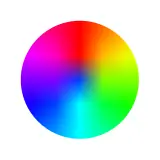
Colour wheel
Colour & shading
MIT licence, © Packt (code from LaTeX Graphics with TikZ by Stefan Kottwitz) · PacktPublishing/LaTeX-graphics-with-TikZ
Open in the TikZ editor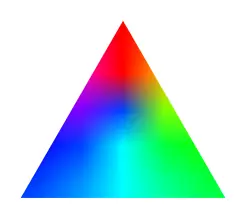
Colour triangle
Colour & shading
MIT licence, © Packt (code from LaTeX Graphics with TikZ by Stefan Kottwitz) · PacktPublishing/LaTeX-graphics-with-TikZ
Open in the TikZ editor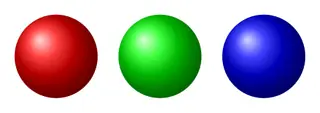
Ball shading
Colour & shading
MIT licence, © Packt (code from LaTeX Graphics with TikZ by Stefan Kottwitz) · PacktPublishing/LaTeX-graphics-with-TikZ
Open in the TikZ editor
Shaded spiral of segments
Colour & shading
MIT licence, © Packt (code from LaTeX Graphics with TikZ by Stefan Kottwitz) · PacktPublishing/LaTeX-graphics-with-TikZ
Open in the TikZ editor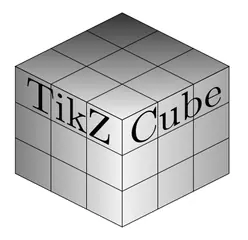
Slanted cube
Colour & shading
MIT licence, © Packt (code from LaTeX Graphics with TikZ by Stefan Kottwitz) · PacktPublishing/LaTeX-graphics-with-TikZ
Open in the TikZ editor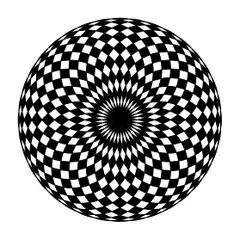
Op-art circles (foreach)
Colour & shading
MIT licence, © Packt (code from LaTeX Graphics with TikZ by Stefan Kottwitz) · PacktPublishing/LaTeX-graphics-with-TikZ
Open in the TikZ editor
Using these figures
Every figure keeps its own licence: MIT or CC0 1.0, both of which allow use, change and sharing, commercial use included. The MIT licence asks that its copyright and permission notice go with copies of the code, so each figure’s code starts with its source, author and licence; keep those lines when you reuse it. The full licence texts are on the sources and licences page.
“Open in the TikZ editor” loads the figure’s complete document into the free TikZ editor, where it is typeset with TeX Live 2026 and you can change it and download a PNG. To compile it on your own computer, save the code as a .tex file and run pdfLaTeX (or the engine the tile names) on it; LabCanvas changed the files only where needed to make each one compile on its own, as its first lines say.